Updated June 2026
If a full-size keyboard leaves you stretching a pinky to reach the arrow keys or shuffling your whole hand to find Escape, the problem usually isn’t your hands — it’s the layout. A standard board is about 44cm wide, and most of that width is a number pad and dead space you rarely touch mid-game. For smaller hands, that extra width means more reach, more strain, and a mouse that’s been shoved annoyingly far to the right.
Here’s the fix almost no “small hands” list explains properly: the answer is a smaller layout, not a smaller keyboard. A 60% or 65% board removes the number pad and the gap, pulling every key you actually use closer to your fingers — and pulling your mouse hand back toward your body, which eases the shoulder too. Switch choice matters as a second lever: a lighter actuation needs less finger force, which helps smaller or weaker fingers during long sessions.
So this guide ranks by what genuinely helps small hands — layout first, then switch feel and connection — across the six best compact gaming keyboards in 2026. TechnoQia is reader-supported: buy through the Amazon links below and we earn a small commission at no cost to you, and it never changes the rankings.
This is for anyone whose hands feel cramped on a normal keyboard — and who games seriously enough to want real switches, not a flat membrane board.
- Best for most small hands: the Keychron K6 — a 65% layout keeps the arrow keys while cutting the reach, the sweet spot for gaming with smaller hands.
- Best overall performance: the SteelSeries Apex Pro Mini — a 60% board with adjustable actuation you can set light for less finger strain.
The shortlist, compared by layout
Layout is the spec that matters most here, so that’s the first column. Product names link to Amazon.
| Keyboard | Layout | Connection | Switches | Best for |
|---|---|---|---|---|
| SteelSeries Apex Pro Mini | 60% | Wired | Adjustable magnetic | Performance |
| Razer Huntsman Mini | 60% | Wired | Optical | Smallest footprint |
| Keychron K6 | 65% | Wired + Bluetooth | Mechanical (hot-swap) | Best value |
| ASUS ROG Falchion NX | 65% | Wireless | Linear (light) | Wireless compact |
| Razer BlackWidow V4 Pro 75% | 75% | Wireless | Tactile (hot-swap) | Keeping the F-row |
| Logitech G515 TKL | TKL low-profile | Wireless | Low-profile | Familiar layout, low reach |
TechnoQia · small-hands layout map
Which compact layout fits your hands?
Decide how much you’re willing to give up for a shorter reach — then the layout points to the keyboard.
Decider: a 60% layout is the most compact — everything sits under your fingers, arrows and functions via a layer.
Decider: 65% keeps dedicated arrow keys and a few nav keys while still cutting most of the reach.
Decider: 75% squeezes the F-row back in tightly, so you keep shortcuts without going full-size.
Decider: a tenkeyless drops only the numpad, and the low-profile keys cut how far your wrists bend.
SteelSeries Apex Pro Mini — best overall performance
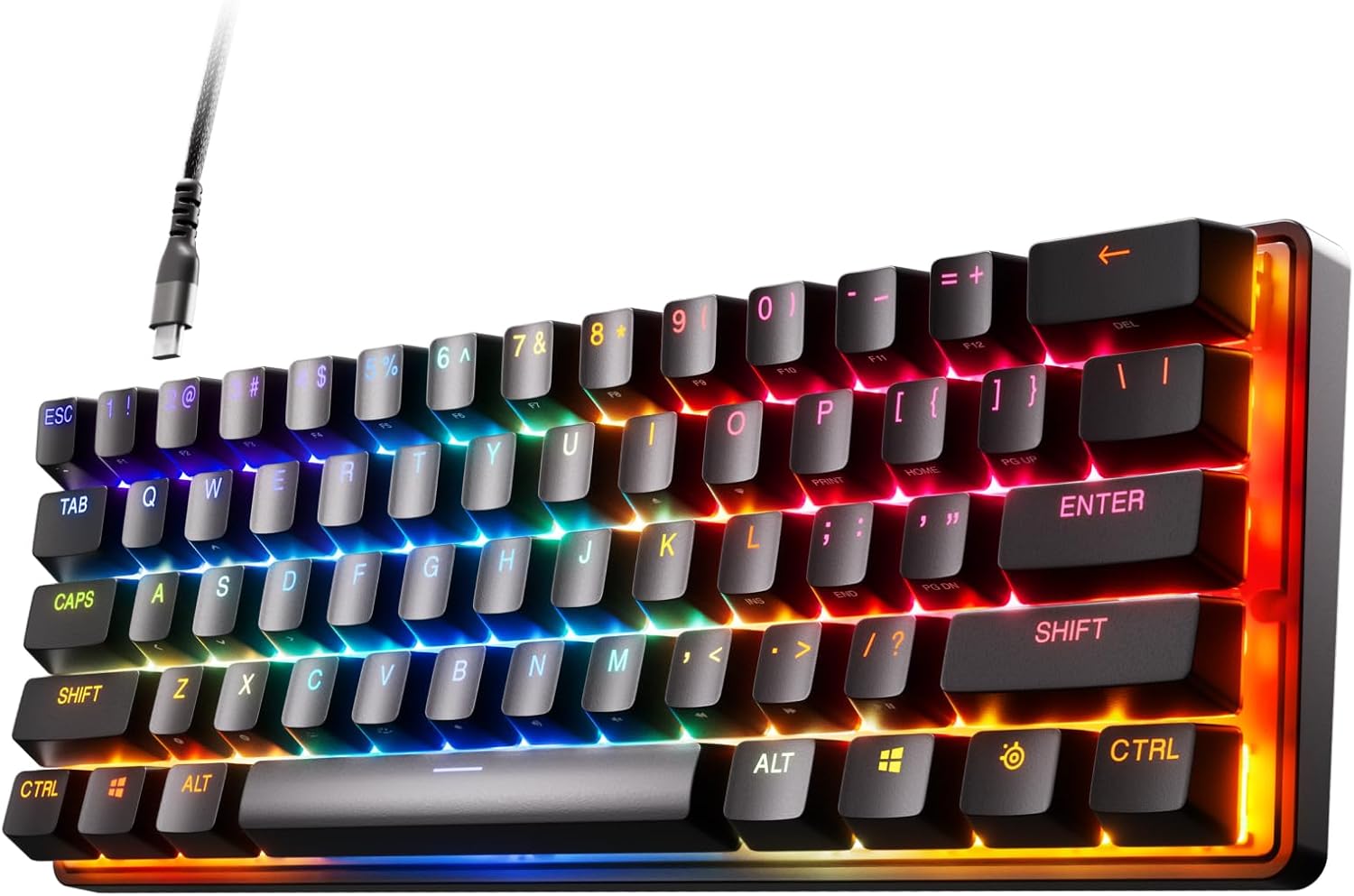
The Apex Pro Mini pairs the most useful small-hands feature — a tight 60% layout — with the best switches in the class. Its magnetic OmniPoint switches let you adjust how hard you have to press, so you can set a light actuation that’s gentler on smaller fingers during long sessions, then go deeper to avoid mis-presses if you prefer. Build quality is excellent and it’s genuinely one of the fastest gaming keyboards you can buy.
It’s the pick if you want top-tier performance in the most compact footprint. The honest cons: the 60% layout puts arrows and the function row on a secondary layer, which takes a few days to learn, and the adjustable switches make it pricier than a basic board. But for a small, fast, fatigue-friendly keyboard you can tune to your hands, nothing here beats it.
Verdict: Buy it — the best mix of tiny footprint and tunable, low-strain switches.
Razer Huntsman Mini — smallest footprint, easiest to find
If you just want the most popular, proven 60% board, the Huntsman Mini is it. It strips away everything but the core 61 keys, so your hands barely move and your mouse sits close. The optical switches are fast and crisp, the aluminium top plate keeps it solid, and the doubleshot PBT keycaps resist shine — a genuinely premium little keyboard that’s widely stocked and well supported.
It’s the pick for a no-fuss, true 60% at a friendlier price than the Apex. The cons: like any 60%, the arrows and F-keys live on a layer you’ll need to memorise, and there’s no wrist rest in the box (worth adding for small hands). For the smallest sensible footprint without overthinking it, it’s the easy recommendation.
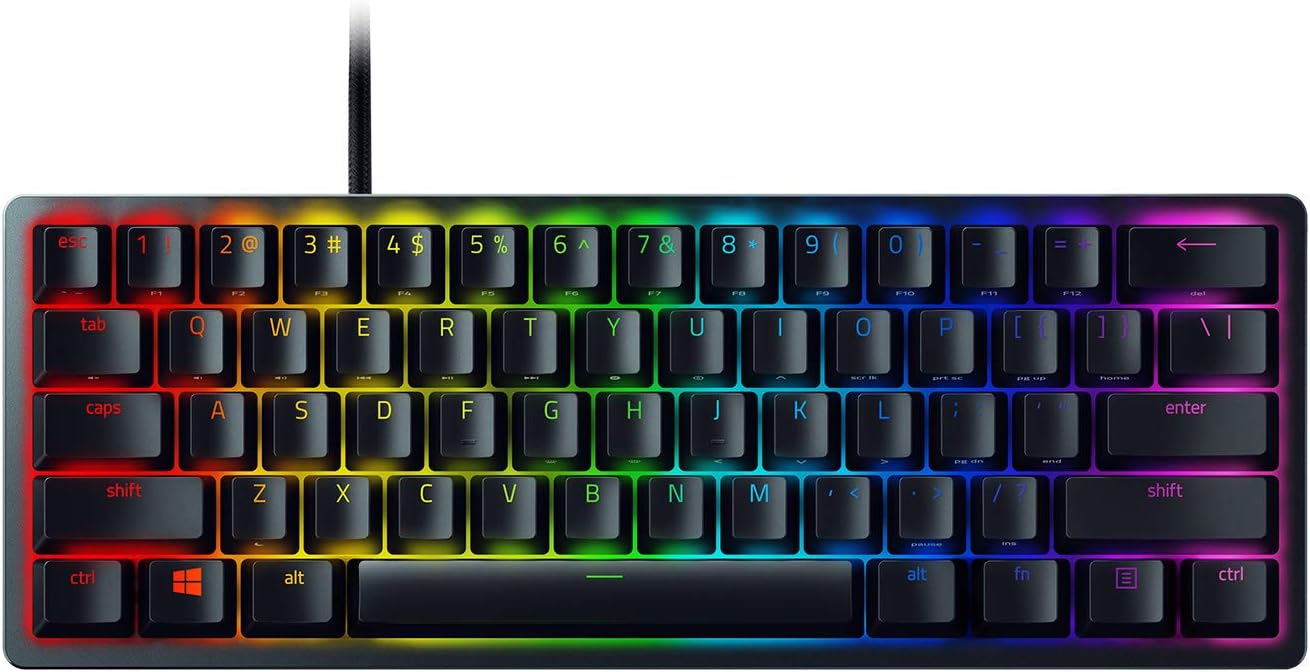
Verdict: Buy it — the safest 60% pick if you’re happy using layers for arrows.
Keychron K6 — best value and the small-hands sweet spot
For most people with smaller hands, 65% is the layout to get, and the K6 is the best-value way in. It keeps dedicated arrow keys and a column of navigation keys — so you don’t have to learn a layer just to move — while still cutting the number pad and most of the width. It connects over both USB and Bluetooth, works with Mac and Windows, and many versions are hot-swappable so you can change switches without soldering.
It’s the sensible default: compact enough to help, familiar enough to use immediately. The cons: it’s a touch taller than the slim premium boards (a wrist rest helps), and the stock switches are good rather than spectacular — though hot-swap means you can upgrade later. As the layout most small hands are happiest on, at a fair price, it’s our top all-rounder. Pair it with our small-hands mouse picks for a fully sized-down setup.
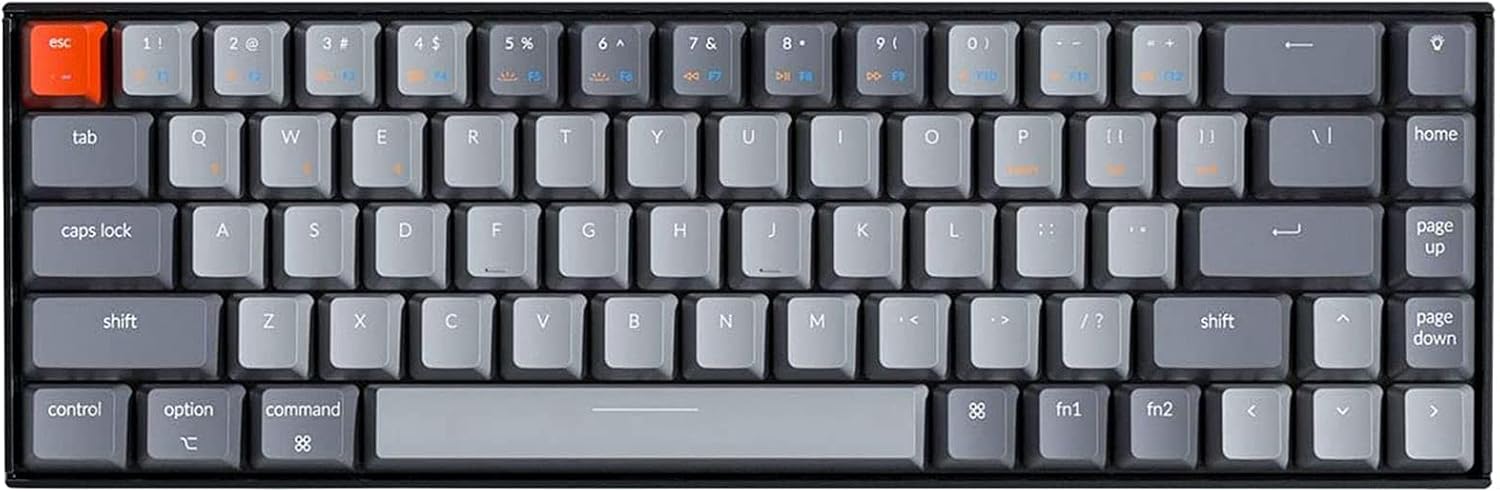
Verdict: Buy it — the best starting point for small hands: compact, but nothing important to relearn.
ASUS ROG Falchion NX — best wireless compact
Want the 65% sweet spot without a cable? The Falchion NX is a 65% board built for gaming, with lag-free 2.4GHz wireless and a clever touch panel on the left edge for volume and shortcuts. Its NX Red linear switches are light and smooth, which is exactly what smaller fingers want for rapid presses, and it even ships with a protective cover that doubles as a travel case.
It’s the pick if you value a clean, cable-free desk and portability alongside the small footprint. The cons: it’s pricier than the wired K6, and the gaming-focused styling is bolder than a plain board. For a compact wireless keyboard with light switches and smart extras, though, it’s the standout.
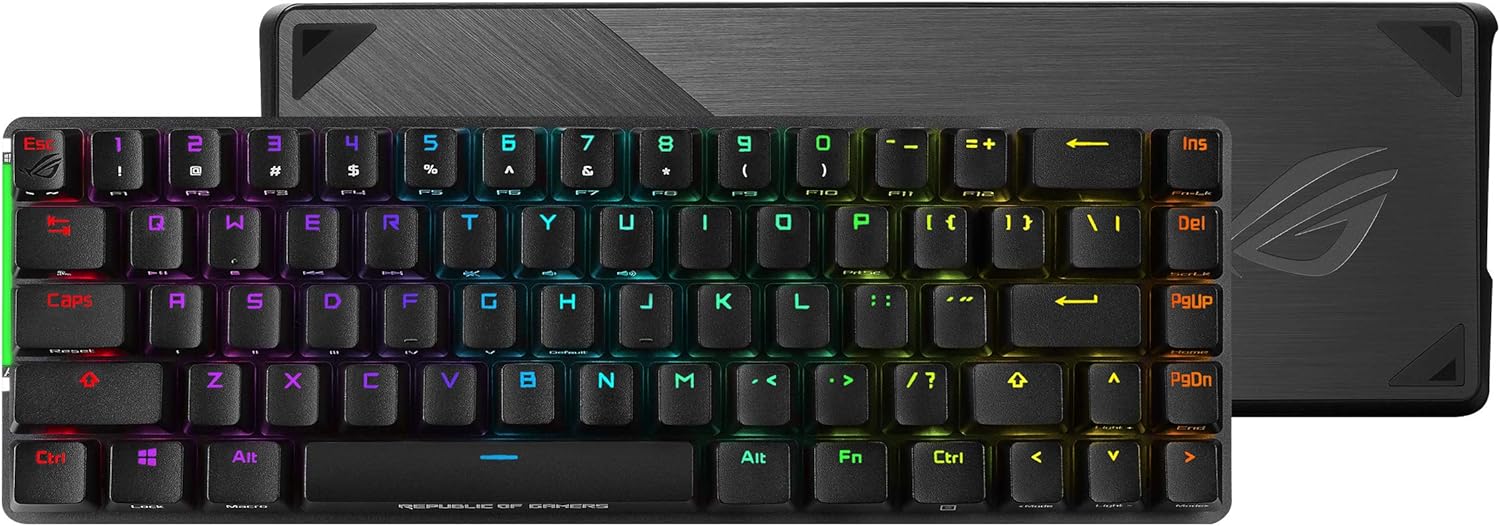
Verdict: Buy it — the best wireless compact; choose the K6 if you’d rather save money with a cable.
Razer BlackWidow V4 Pro 75% — best if you need the function row
Not everyone can give up the F-keys — for work shortcuts, sim games or streaming macros they matter. The BlackWidow V4 Pro is a 75% layout, which packs the function row and arrows back in tightly while still being far narrower than a full board. On top of that you get wireless, an OLED display, a command dial, hot-swappable tactile switches and a wrist rest, so it’s loaded.
It’s the pick when you want a shorter reach but refuse to lose the function row. The honest cons: it’s the biggest and most expensive board here, and all the extras add desk presence — this is “compact-ish,” not tiny. But as the way to keep every key you use while still trimming the width, it’s excellent, and a natural home for tactile switches (see whether they suit you in our look at switch types for gaming).
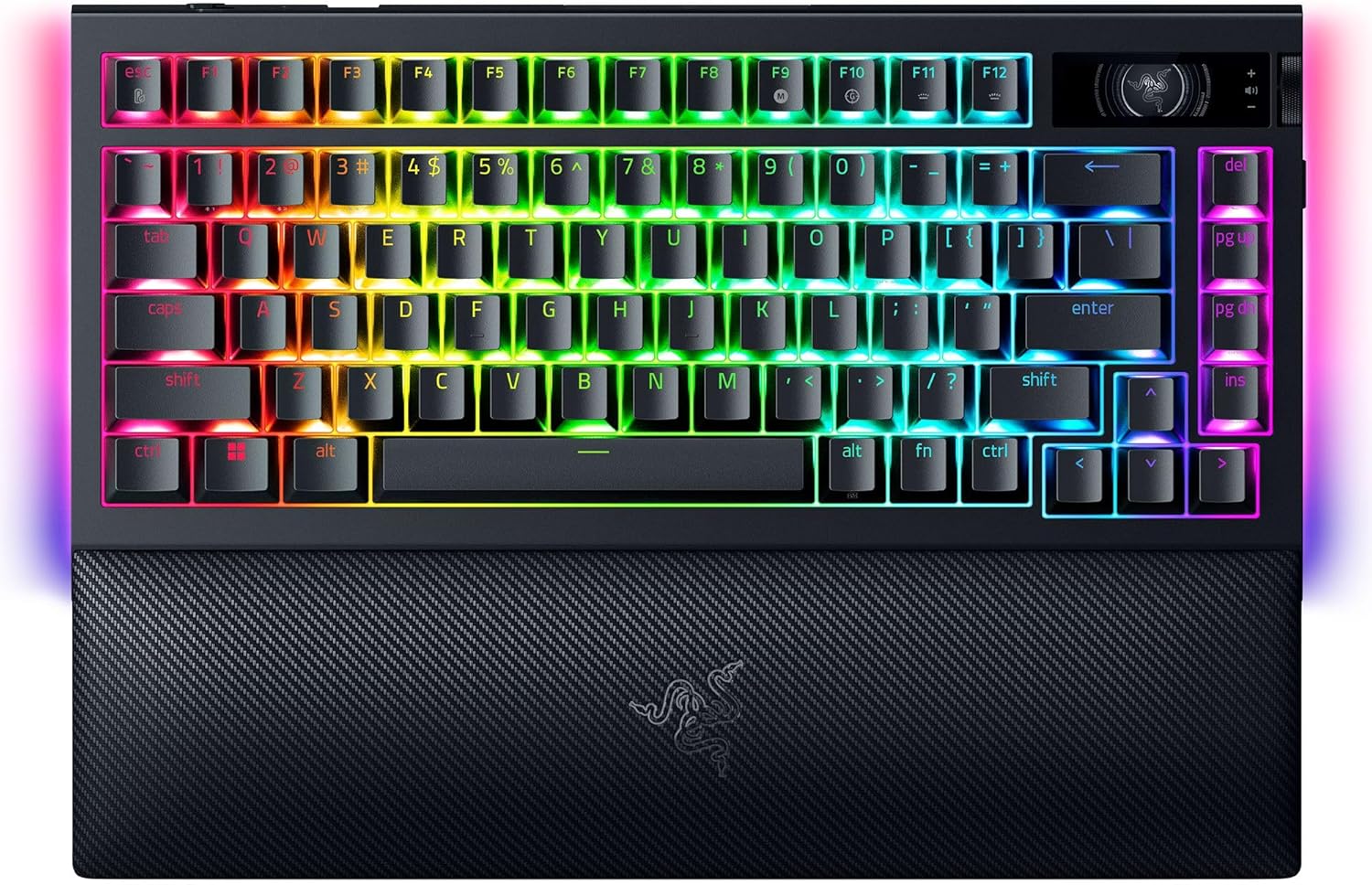
Verdict: It depends — ideal if you need the F-row; overkill if you only game and can use layers.
Logitech G515 TKL Lightspeed — most familiar layout, lowest strain
If layers and unusual layouts put you off, the G515 keeps things familiar: it’s a tenkeyless board, so it only drops the number pad and keeps everything else exactly where you expect. The trick for small hands is that it’s low-profile — the keys and case are much thinner than normal, so your wrists bend less and your fingers travel a shorter distance on every press. It’s wireless, slim and understated enough for a desk that doubles as a workspace.
It’s the pick if you’re moving from a full-size board and don’t want to relearn anything, just shed the numpad and the wrist strain. The cons: a TKL is still wider than a 60%/65%, so the reach reduction is smaller, and low-profile keys feel different from standard switches (some love it, some don’t). For a familiar, low-strain step down from full-size, it’s the comfortable choice.
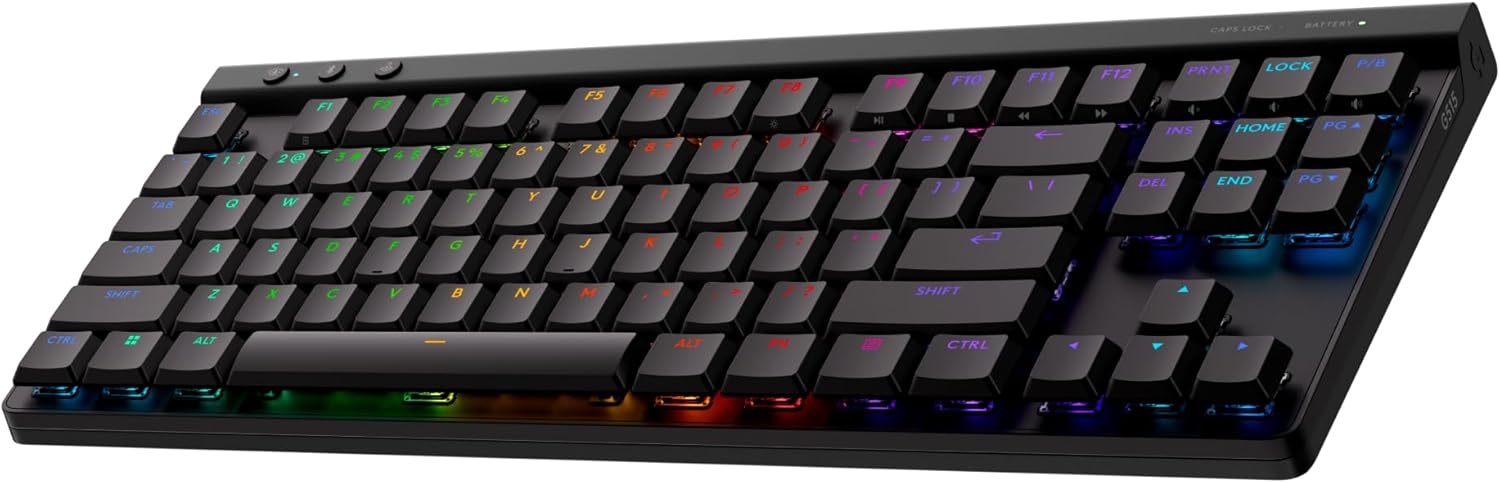
Verdict: It depends — great for a familiar, low-profile downsize; go 60%/65% if you want the biggest reach cut.
How to choose a gaming keyboard for small hands
Two specs do most of the work; get these right and the rest is preference:
- Pick the layout for how much reach you’ll trade. 60% is smallest (arrows and F-keys on a layer); 65% adds back arrow keys and is the small-hands sweet spot; 75% keeps the function row; TKL just drops the numpad. Smaller layouts also pull your mouse closer, easing the shoulder.
- Lighter switches mean less finger force. Linear switches with a low actuation force (or adjustable switches set light) are kinder to smaller or weaker fingers over long sessions than heavy, stiff ones.
- Low-profile reduces wrist bend. Thinner keycaps and cases mean your wrists extend less and your fingers travel a shorter distance — a real comfort win if you type and game for hours.
- Hot-swap lets you tune later. A hot-swappable board lets you change switches without soldering, so you can start with one feel and adjust as you learn what your hands prefer.
- Add a wrist rest. Compact boards sit your hands in a tighter zone; a small wrist rest keeps the angle neutral and is cheap insurance against fatigue.
If you’re still deciding between switch styles and key feel, our guides on chiclet vs mechanical and why mechanical keyboards cost more help, and you can browse more options in the keyboards hub.
Frequently asked questions
What size keyboard is best for small hands?
A 65% layout is the best all-round choice for most small hands. It removes the number pad and the spacing that forces a long reach, but keeps dedicated arrow keys and a few navigation keys, so you don’t have to learn a layer for everyday use. A 60% is even smaller and great for pure gaming, while a TKL is the gentlest step down if you’re coming from full-size.
Is a 60% keyboard good for small hands?
Yes — a 60% is the most compact mainstream layout, so every key sits within a short reach and your mouse comes closer too, which reduces strain. The trade-off is that arrow keys, the function row and navigation keys move to a secondary layer you access with a modifier, which takes a few days to get used to. If you game more than you type, it’s an excellent fit.
Are smaller keyboards better for gaming?
For many players, yes. A compact keyboard lets you place your mouse closer to your body, which encourages a more relaxed shoulder and arm position and gives more room for wide, low-sensitivity mouse swipes. Pro FPS players often use 60% or TKL boards for exactly this reason. The keys you need for gaming are all still there — only the rarely used numpad and navigation cluster are trimmed.
What’s the difference between 60%, 65%, 75% and TKL?
They describe how many keys the board keeps. A 60% has just the main typing block (no arrows, F-row or numpad). A 65% adds dedicated arrow keys and a few nav keys. A 75% packs the function row back in tightly above the arrows. A TKL (tenkeyless) is a near-full layout that only removes the number pad. Smaller numbers mean a shorter reach but more keys moved onto layers.
Do small hands need lighter switches?
Not strictly, but lighter switches help. A switch with a lower actuation force needs less finger strength to press, which reduces fatigue over long sessions and can feel more comfortable for smaller or weaker fingers. Light linear switches (or adjustable magnetic switches set to a low actuation point) are a good starting point; you can always go heavier later if you find yourself mis-pressing.
Are compact keyboards hard to use without arrow or function keys?
There’s a short learning curve on 60% boards, but it’s smaller than people expect. The missing keys are accessed by holding a function/modifier key and pressing another — for example Fn plus the WASD or IJKL area for arrows. Most people are comfortable within a week. If you’d rather skip the adjustment entirely, choose a 65% (keeps arrows) or 75% (keeps arrows and the function row).