Updated June 2026
The pitch for the “smart home” usually involves dimming your lights from the sofa. For an older adult living alone — or for the adult child who worries about them from three hours away — the stakes are different. The right device here isn’t a gadget. It’s the difference between a fall that’s noticed in 30 seconds and one that’s noticed the next morning.
So this guide ignores the novelty stuff. The two specs that actually decide these purchases are how little the person has to do to use it (ideally nothing — voice, or automatic) and what it really costs over two years once you add the subscription nobody mentions at checkout. Everything below is judged on those two things first, features second.
TechnoQia is reader-supported. When you buy through the Amazon links on this page (Amazon Associates), we may earn a small commission at no extra cost to you. It never changes which product we recommend — the honest “skip it” verdicts below are proof.
This is for people setting up a home for an ageing parent, or for seniors who want independence without a help-desk degree. If you want the broader picture first, our guide to must-have smart home gadgets covers the convenience side; this one is about safety, dignity and daily life.
- Best for most people: the Amazon Echo Show 8 — hands-free video calls, reminders and a hub, all by voice.
- Most life-changing for safety: the no-fee fall-detection wrist alert — it calls for help automatically and charges no monthly fee.
- Cheapest thing with the biggest payoff: a 4-pack of motion-sensor night lights — the most falls-prevented per dollar of anything here.
The honest comparison (with the real 2-year cost)
Most “best smart home for seniors” lists quote the sticker price and stop. That’s the spec sheet lying by omission. A cheap doorbell that needs a monthly plan to actually record video is an expensive doorbell over two years. Here’s every pick with the fee included and an honest ease-of-use grade.
| Device | Subscription | Ease of use | Rating | Best for |
|---|---|---|---|---|
| Echo Show 8 | No | Voice — very easy | 4.4 ★ | Calls, reminders, hub |
| Wrist Fall-Detection Alert | No | Automatic | 4.4 ★ | Falls, emergencies |
| Windtrace Pill Dispenser | No | Set once | 4.1 ★ | Medication adherence |
| AUVON Night Lights (4-pk) | No | Plug in, forget | 4.7 ★ | Night-time fall prevention |
| Kasa Smart Plugs (4-pk) | No | Voice / app | 4.6 ★ | Lamps & appliances by voice |
| Ring Battery Doorbell Plus | Yes | App — moderate | 4.5 ★ | Seeing the door safely |
Notice the bottom row. Five of these six cost you nothing after you buy them. The doorbell is the one that keeps charging — which is exactly why it’s the only “It depends” verdict below.
Best overall: Amazon Echo Show 8
Who it’s for: almost everyone. If you buy one thing on this page, buy this. A smart display does the job of a photo frame, a phone, a calendar and a reminder pad — and it’s all operated by talking to it, which matters enormously for hands that don’t work the way they used to.
The spec that matters isn’t the “vibrant HD” screen the box brags about. It’s the 8.7-inch display plus the camera: it makes video calls genuinely one-step. “Alexa, call my daughter” rings on a phone or another Echo, and the call just connects — no app, no password, no holding a slippery handset. Drop In lets a trusted family member check in like an intercom. Set medication and appointment reminders by voice and it nags gently at the right time.
The honest con: it’s an always-listening camera and microphone in the home, and some people find that genuinely uncomfortable. The camera has a physical shutter — use it. And it works best if the rest of the family is already on Alexa; if everyone’s on Apple, the experience is clumsier.
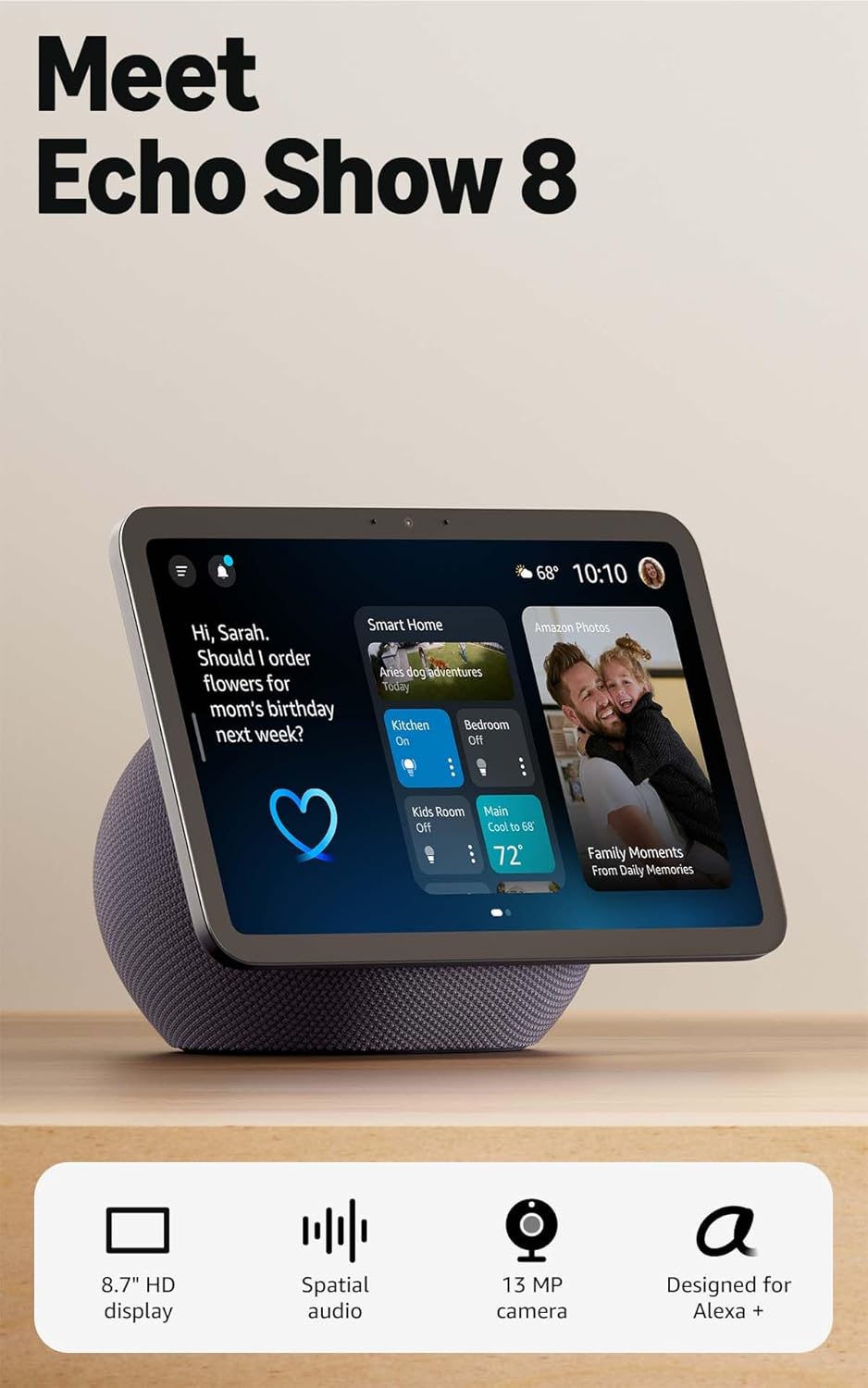
Verdict: Buy it — the single best first purchase for an ageing parent who lives alone. Voice control plus video calling does more for daily life than anything else here.
Most life-changing: a wrist fall-detection alert (no monthly fee)
Who it’s for: anyone at real risk of a fall who lives alone. This is the device that earns the phrase “changes lives.” A wrist alert with automatic fall detection senses a hard fall and calls a programmed contact or emergency services without the wearer pressing anything — which matters, because the falls that end badly are the ones where the person is knocked out or can’t reach a phone.
The reason this specific one makes the list is the part the marketing buries on the better-known brands: no monthly fee. Most “medical alert” names you’ve heard are really subscriptions — typically $25–$50 a month, with fall detection often a $10 add-on, per the National Council on Aging. Over two years that’s $600–$1,200. This one is a one-time buy.
The honest con — read this: “no monthly fee” buys you a tradeoff. A subscription service connects to a 24/7 monitoring centre staffed by humans; this device dials the contacts you programme (and 911). For an active senior with attentive family nearby, that’s perfect. For someone with no reliable contact and complex medical needs, a monitored service is the safer choice even at the cost. Don’t let the price tag alone decide this one.
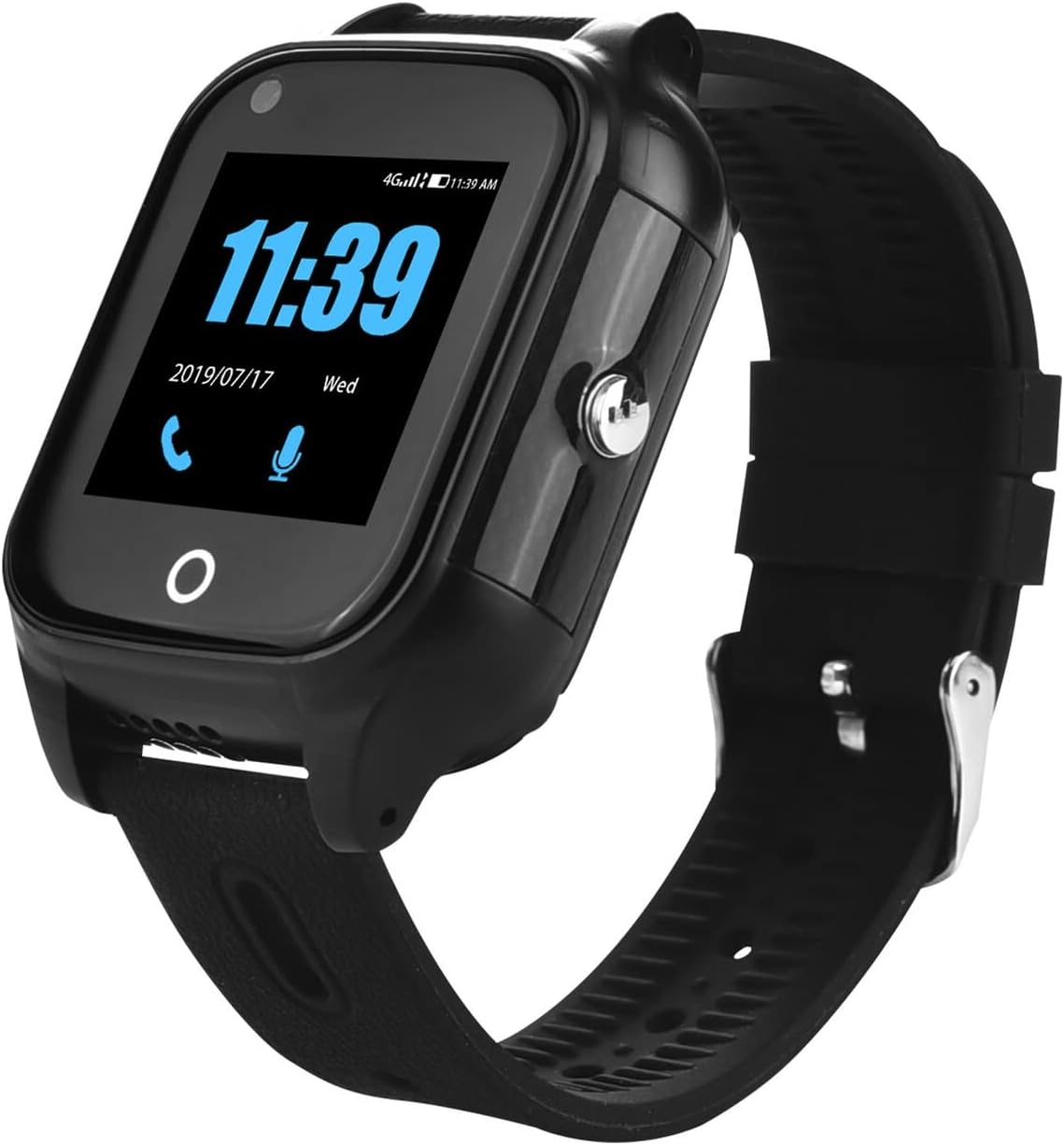
Verdict: It depends — buy this if family is the safety net and you want to skip the subscription. If there’s no reliable contact, pay for a monitored service instead.
Best for medication: Windtrace automatic pill dispenser
Who it’s for: anyone juggling several pills at several times a day — which is most people over 75. Missed and doubled doses are one of the quiet, common reasons older adults end up in hospital, and a paper pillbox doesn’t sound an alarm.
The spec that matters is the locked, timed tray with a loud alarm and light. You fill the 28 compartments once, set the schedule, and at dose time it beeps, flashes, and only releases that dose’s pills. The lock matters more than it sounds: it stops the accidental double-dose that an open organiser invites.
The honest con: the initial setup is fiddly and is a job for the caregiver, not the patient — loading 28 slots and programming times takes a careful half-hour. And it handles pills, not liquids or odd-shaped items. Once it’s set, though, it runs itself for a month at a time.
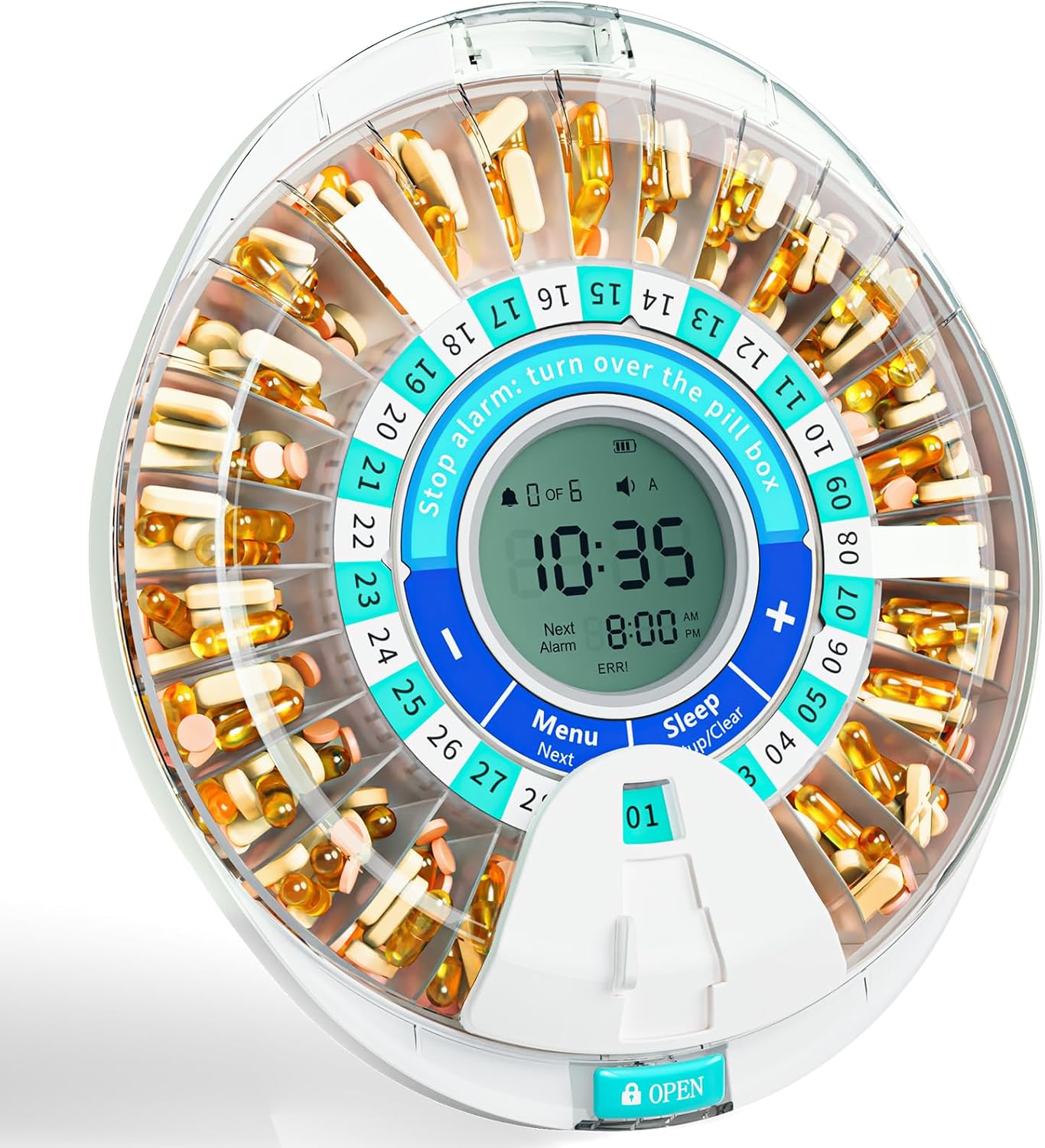
Verdict: Buy it — if there are three or more daily medications, this pays for itself the first time it prevents one missed or doubled dose.
Best value: AUVON motion-sensor night lights
Who it’s for: literally every older home. At four lights to a pack, this is the highest falls-prevented-per-dollar purchase on the page, and it’s the one I’d buy first if money were tight. Most night-time falls happen on the path from bed to bathroom, in the dark, half-asleep.
The spec that matters is dusk-to-dawn plus motion activation with a soft, warm glow. The light stays off until someone moves nearby, then lights the floor — bright enough to see the route, dim enough not to jolt anyone fully awake. Plug them into the hallway, bathroom and bedroom outlets and forget they exist.
The honest con: there basically isn’t one, which is rare. If pushed: the glow is deliberately gentle, so it lights a path, not a whole room. That’s the point.
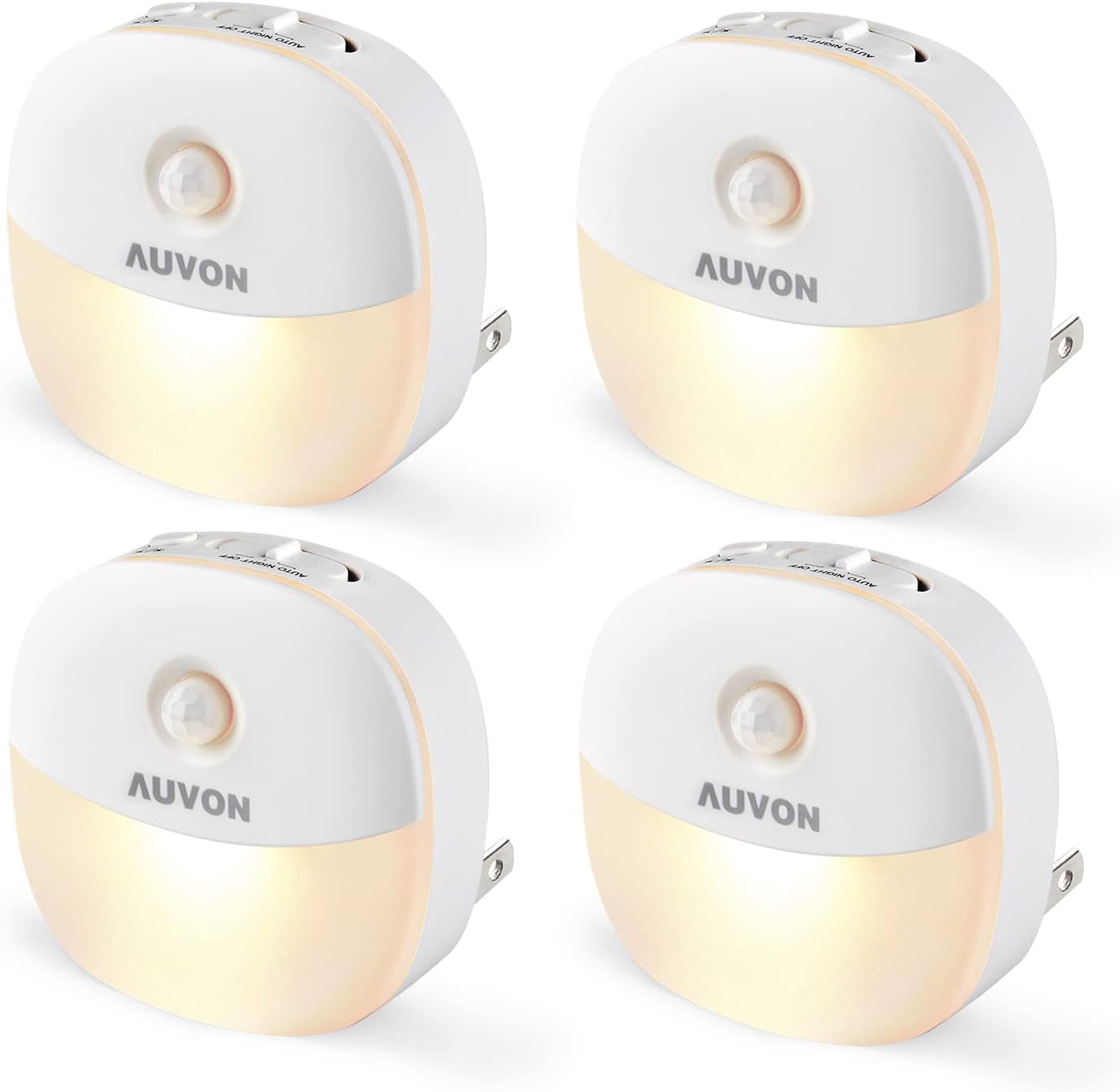
Verdict: Buy it — buy two packs. There is no cheaper way to make a home meaningfully safer at night.
Easiest control: Kasa smart plugs
Who it’s for: anyone who struggles to reach an awkward switch, bend to a floor lamp, or remember whether the heater is still on. A smart plug turns any ordinary lamp or appliance into something you control by voice (paired with the Echo above) or from a phone.
The spec that matters is “no hub required” plus a physical button on the plug. It connects straight to Wi-Fi — no extra box to buy or break — and the manual button means it still works as a normal switch if the internet hiccups. Pair it with the Echo Show and “Alexa, turn on the living room lamp” replaces a trip across a dark room.
The honest con: initial setup needs the home Wi-Fi password and a few minutes in the Kasa app, so it’s a caregiver job. After that it’s invisible. If you’re choosing lamps to automate, our full smart-plug guide and smart lighting guide go deeper.
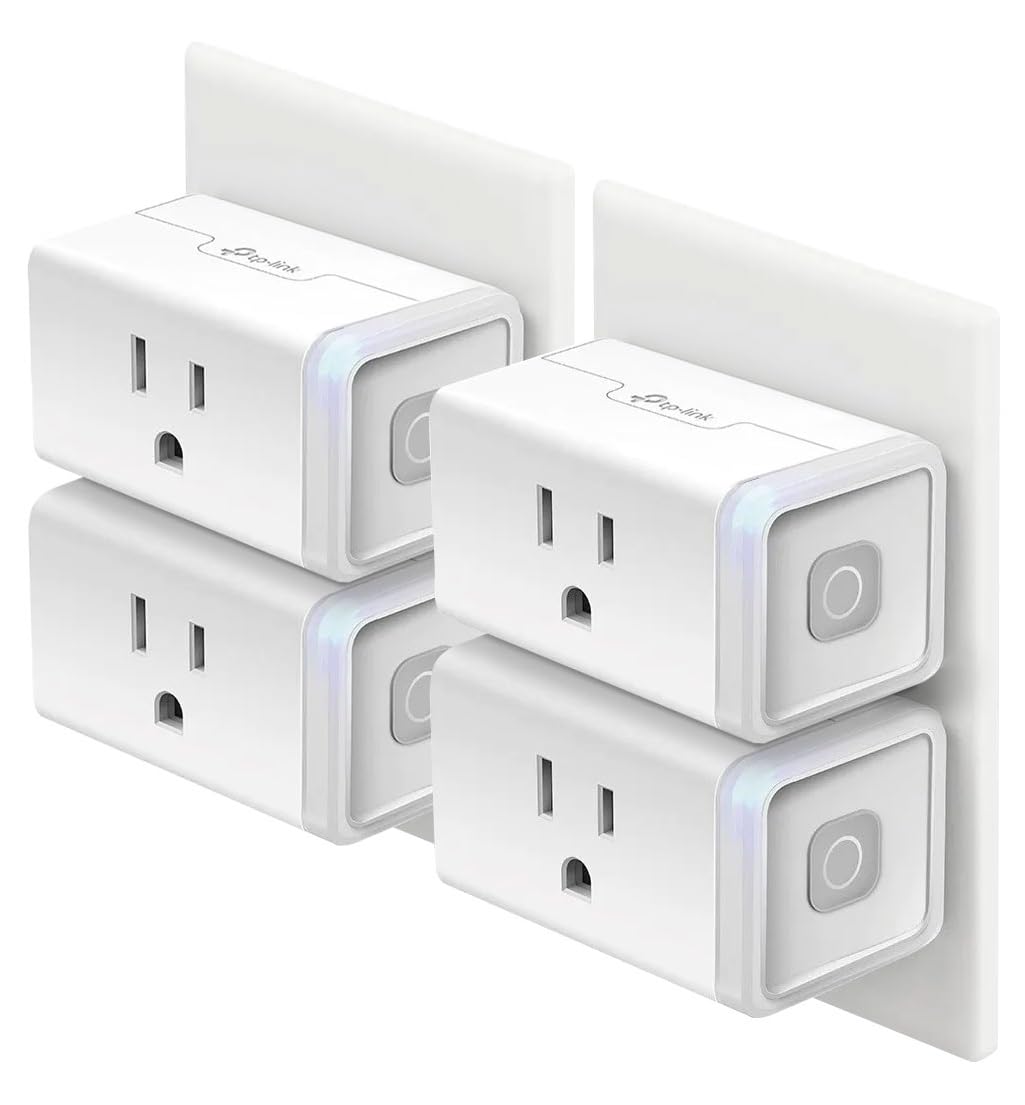
Verdict: Buy it — the cheapest way to add voice control to lamps and appliances already in the home. Get the 4-pack; one is never enough.
Seeing the door safely: Ring Battery Doorbell Plus
Who it’s for: someone who shouldn’t be rushing to answer a door — and shouldn’t be opening it to strangers either. A video doorbell lets them see and talk to whoever’s there from a phone or the Echo Show, without getting up or unlocking anything.
The spec that matters is the head-to-toe (“1:1”) field of view, which shows a person from face to feet and the package on the step — useful when you’re squinting at a small screen. It runs on a removable battery, so there’s no wiring.
The honest con — and it’s the reason for the verdict: the doorbell itself is a one-time buy, but recording and reviewing what it saw needs a Ring Home subscription (about $5/month). Without it you get live view and live alerts, but no saved video to look back on. This is the gym-membership trap: the sign-up price isn’t the cost. Over two years the recording fees add up to roughly the price of the device again. Worth it for many; just go in with your eyes open. For the wider security picture, see our smart home security devices comparison.
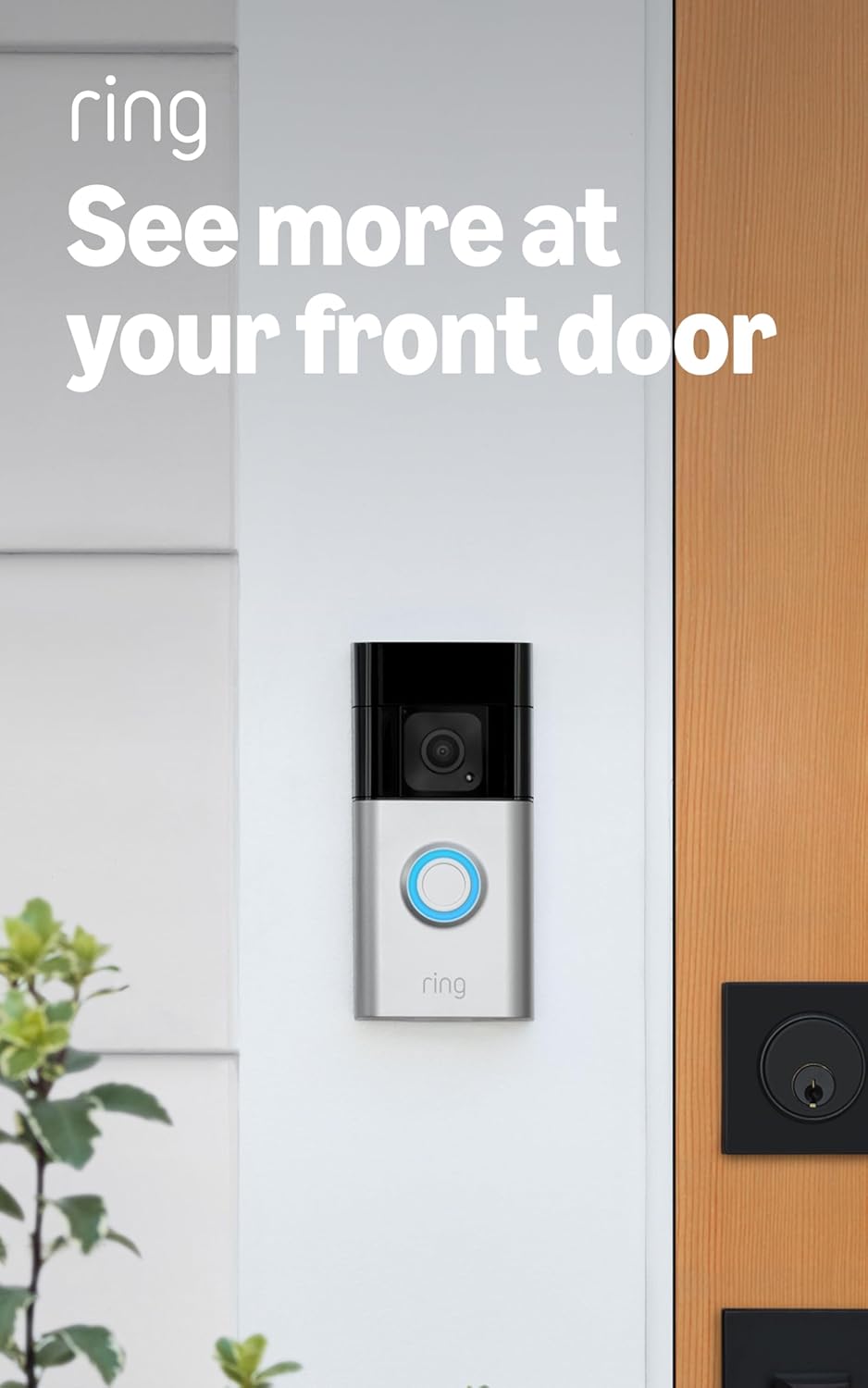
Verdict: It depends — buy it if you’ll pay the monthly plan; the device alone is half a product. If you won’t, a no-fee option is the smarter spend.
How to choose without overbuying
Two rules keep you from wasting money here.
1. Total the subscription before you call anything “cheap.” A device with a monthly fee is a gym membership: the joining fee is the smallest number you’ll ever pay it. The flashy cheap camera with a mandatory monthly plan costs more over two years than the “expensive” one with local storage. Five of our six picks have no fee on purpose — that’s not an accident, it’s the buying lesson.
2. Buy for the spec that matters, not the spec sheet. Most people overbuy. You don’t need the premium fall-detection ecosystem if an attentive family and a wrist alert cover the actual risk. You don’t need a whole-home automation system to stop night-time falls — you need a few night lights. Name the one job, buy the cheapest thing that does it well, and stop.
The one place not to economise is the genuine safety device. If a fall is a real risk, the alert or the dispenser is where your money does the most good — not a second smart speaker for the kitchen.
Frequently asked questions
How much do smart home devices for seniors cost per month?
They don’t have to cost anything monthly. Five of the six picks here — the smart display, the wrist alert, the pill dispenser, the night lights and the smart plugs — are one-time purchases with no fees. Only the video doorbell needs a subscription (about $5/month) to save recordings. The big monthly costs come from monitored medical-alert services, which run roughly $25–$50/month.
Do automatic fall-detection devices actually work?
Modern wrist and pendant fall sensors are good but not perfect — they reliably catch hard falls but can miss a slow slide to the floor, and they occasionally false-alarm on a hard sit-down. They are a strong safety net, not a guarantee. Treat fall detection as one layer alongside night lights and a reachable phone, not the only line of defence.
Which of these devices need Wi-Fi?
The Echo Show, Kasa smart plugs and Ring doorbell all need home Wi-Fi. The motion-sensor night lights and the pill dispenser do not — they work entirely on their own. The wrist alert in this guide uses a cellular connection, not your Wi-Fi, so it works away from the house too.
Are smart home devices too hard for seniors to use?
The day-to-day use is easy — voice commands and automatic devices ask nothing of the user. The hard part is the one-time setup (Wi-Fi passwords, apps, schedules), which is genuinely a caregiver job. Set everything up for the person, then hand over a device that “just works” by voice or on its own. Choose voice-first and automatic devices and the learning curve nearly disappears.
What is the single most important device to buy first?
If safety is the worry, the fall-detection wrist alert. If connection and daily life is the worry, the Echo Show 8. If the budget is tiny, the night lights — they prevent the most common accident for the least money. Most homes benefit from starting with one of these three and adding the rest over time.
Is a no-monthly-fee medical alert as safe as a paid one?
It depends on the safety net. A no-fee device calls the contacts you programme and emergency services directly; a paid service routes through a 24/7 human monitoring centre that can stay on the line and dispatch help. For a senior with attentive nearby family, the no-fee option is excellent value. For someone isolated or with complex needs, the monitored service is worth the cost.