Updated June 2026
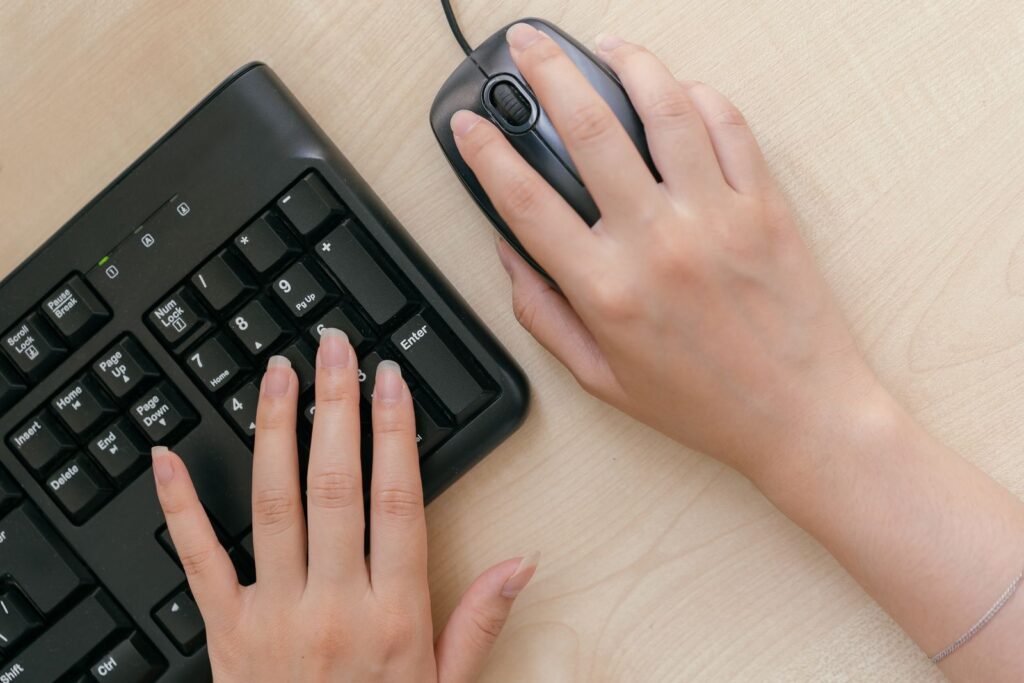
Tennis elbow doesn’t come from tennis for most of us — it comes from a keyboard. The medical name is lateral epicondylitis, and the thing that aggravates it at a desk is boringly specific: forearm pronation (palms rotated flat-down) plus wrist extension (hands cocked up off the desk), repeated for hours. A flat, rectangular keyboard forces both. So the keyboard that helps isn’t the “most ergonomic-looking” one — it’s the one that lets your forearms rotate inward and your wrists sit flat.
That single idea decides this whole guide. The specs that matter are a split layout (so each hand sits at shoulder width, killing the sideways wrist bend), tenting (the centre raised so your palms aren’t forced flat), negative/reverse tilt (the front edge higher than the back, so wrists don’t cock up), and low actuation force (lighter keys = less repeated finger and forearm load). Everything below is judged on those four, not on RGB or key feel.
TechnoQia is reader-supported. If you buy through the Amazon links on this page (Amazon Associates) we may earn a small commission at no extra cost to you — it never changes which keyboard we recommend, and the honest “skip it” notes below are the proof.
This is for anyone whose elbow or forearm flares up after a long day at the desk and wants the keyboard that genuinely offloads the strain — not a gimmick. One honest caveat up front: a keyboard is a lever, not a cure. Pair it with breaks and, if pain persists, a physiotherapist. With that said, here are the five worth your money.
- Best for most people: the Logitech Ergo K860 — split, curved and reverse-tilted, and it’s the one ergonomics-certified pick that’s still easy to live with day one.
- Cheapest one that’s still good: the Perixx Periboard-612 — a real split layout with a palm rest, the budget pick.
- For severe or chronic pain: the Kinesis Advantage360 — contoured key wells and adjustable tenting when nothing flatter has worked.
TechnoQia · Tennis-elbow keyboard map
Which ergonomic keyboard should you start with?
Pick by how bad the pain is and how much you’ll adjust — then let one spec decide the board.
Decider: built-in split + reverse tilt (0°/-4°/-7°) with a pillowed palm rest — neutral posture without a learning curve.
Decider: a genuine split keyframe and integrated palm rest at a budget price — most of the posture benefit, a third of the price.
Decider: the two halves fully separate (up to 9″), and the VIP3 lifters tent to 5/10/15° — you set the exact pronation angle.
Decider: contoured key wells cut finger travel and reaching, plus real tenting — the biggest strain reduction money buys.
Decider: the discontinued Microsoft Sculpt design, now made by Incase — domed split with reverse-tilt and a detached numpad.
The five compared (with the specs that actually matter)
Resolution and switch colour are irrelevant here. What matters is split, tenting, tilt and how hard you have to press. Here’s the field on exactly those terms.
| Keyboard | Split / tenting | Tilt | Switch & force | Rating | Best for |
|---|---|---|---|---|---|
| Logitech Ergo K860 | Fixed split, gently curved | 0°/-4°/-7° reverse | Scissor, light | 4.5 ★ | Most people |
| Perixx Periboard-612 | Fixed split | Flat / small riser | Membrane, light | 4.4 ★ | Budget relief |
| Kinesis Freestyle2 (VIP3) | Fully separable + 5/10/15° tent | Tent sets it | Membrane, very light | 4.5 ★ | Adjustability |
| Kinesis Advantage360 | Split + contoured wells + tenting | Adjustable | Mechanical, low-travel | 4.5 ★ | Severe RSI |
| Incase Sculpt Ergonomic | Fixed domed split | Reverse (with riser) | Scissor, light | 4.4 ★ | Sculpt fans |
Notice what’s not a column: “clicky vs tactile”. For an aching forearm, lighter and shorter beats satisfying. That’s why three of these five are deliberately low-force membrane or scissor boards, not heavy mechanicals.
Best overall: Logitech Ergo K860
Who it’s for: almost anyone with a desk-job elbow flare-up. If you buy one keyboard off this page without overthinking it, buy this. It does the three things that matter — split, curve, reverse tilt — in a board you can use productively from the first minute, with no relearning.
The spec that earns it the top spot is the reverse tilt with the pillowed palm rest: the front edge sits higher than the back, so your wrists rest flat instead of cocking up, and Logitech says it cuts wrist bending by about 25%. It’s the rare ergonomic board certified by United States Ergonomics, and it stays a normal-feeling keyboard while it helps.
The honest con: the split is fixed, so if your shoulders are very broad you can’t widen it further, and the palm rest is plush enough that some people rest on it while typing — which you shouldn’t (more on that below). It’s also wireless-only.
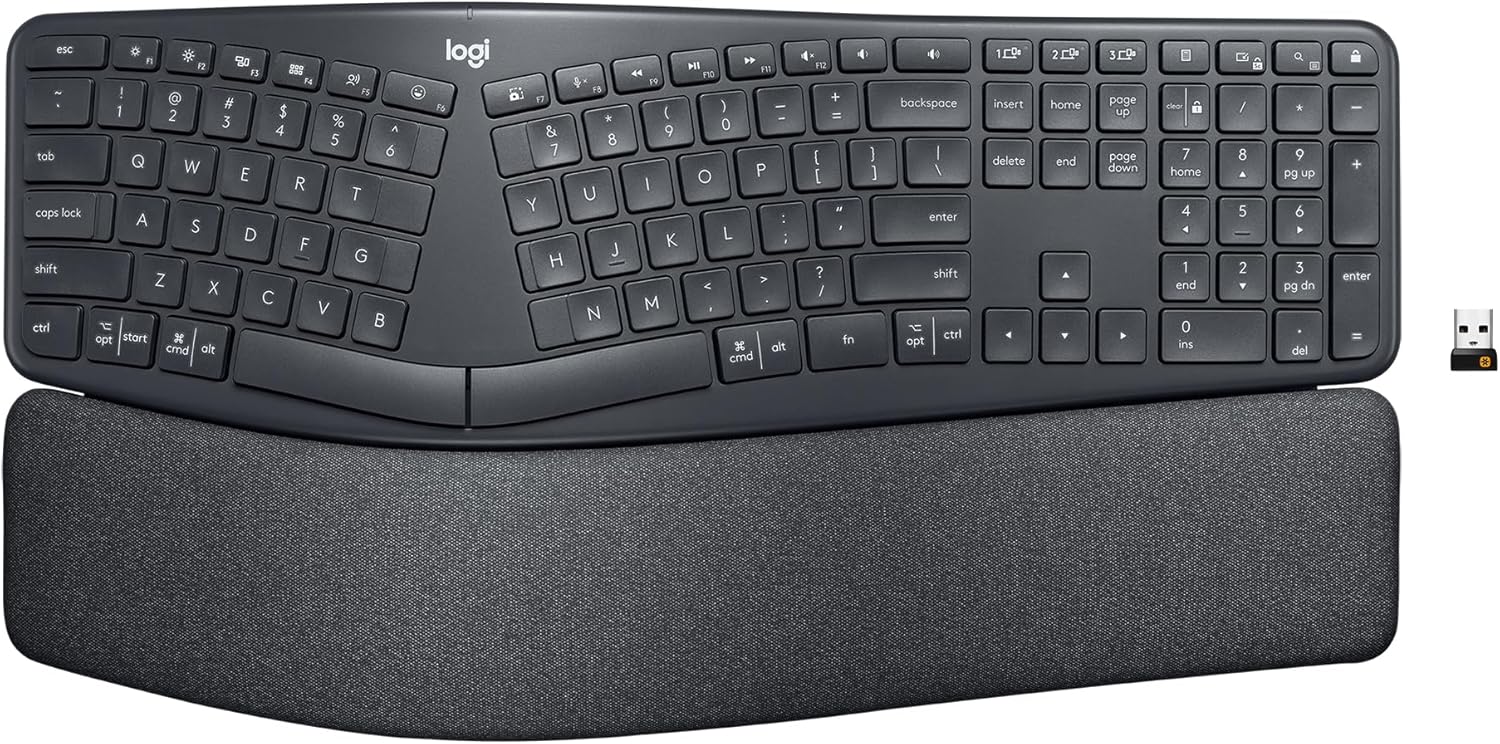
Verdict: Buy it — the best balance of real ergonomic geometry and zero learning curve. The default answer for most readers.
Best budget: Perixx Periboard-612
Who it’s for: anyone who wants to stop the pain without spending big. The smart move with tennis elbow is to fix the posture first and worry about premium feel later — and a budget split keyboard fixes most of the posture.
The spec that matters is simply that it’s a genuine split keyframe with an integrated palm rest, not a flat board pretending. That alone pulls your hands to shoulder width and stops the ulnar (sideways) wrist bend that a rectangular keyboard forces. It’s wireless with a dual 2.4 GHz/Bluetooth mode, so it declutters the desk too.
The honest con: the split is fixed and flat — there’s no real tenting, so it does less for forearm pronation than the K860 or a tented Kinesis. The membrane keys are fine, not lovely. But for the money, the posture-per-dollar is unbeaten, and its 5,000-plus ratings say buyers agree.
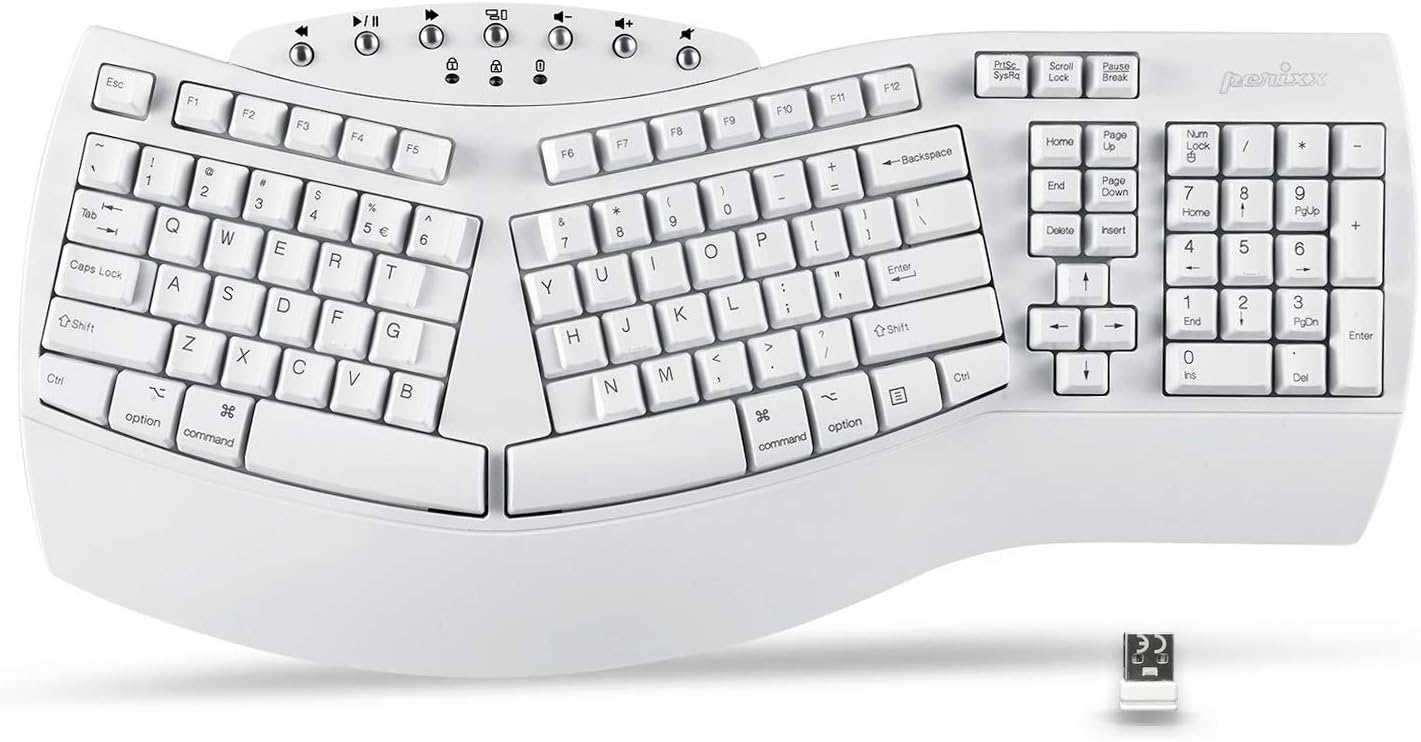
Verdict: Buy it — if budget is the deciding factor. Start here; you can always upgrade to a tented board if you need more.
Most adjustable: Kinesis Freestyle2
Who it’s for: people who want to set the exact angle, and anyone with broad shoulders the K860’s fixed split can’t reach. This is the “dial it in” board.
The spec that matters is the combination of fully separable halves and the VIP3 lifters: the two sides slide apart (up to about 9 inches on the standard model) so each forearm points straight ahead, and the lifters tent the inner edges to 5, 10 or 15 degrees so your palms stop rotating flat. Because you choose the tenting, you can chase the precise angle that takes the load off your elbow — something no fixed board can do. The keys are also very light.
The honest con: tenting is an add-on (make sure you get the VIP3 lifter version, or buy them separately), the cables between the halves add desk clutter, and it looks utilitarian. Worth it for the control.
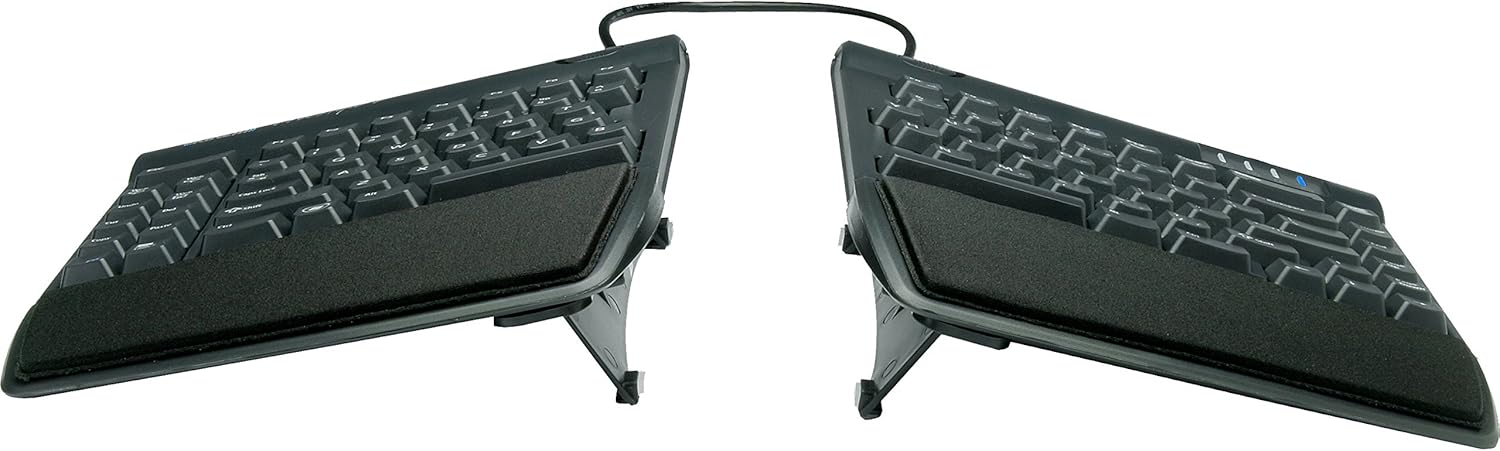
Verdict: Buy it — the pick if adjustability matters or a fixed split is too narrow for you. Just confirm it ships with the VIP3 lifters.
Best for severe pain: Kinesis Advantage360
Who it’s for: chronic or severe RSI where flatter splits haven’t cut it — and people willing to relearn typing for a few weeks to get there. This is the heavy artillery.
The spec that matters is the contoured “key well” shape: the keys curve down into scooped bowls under your fingertips, so you reach less and your wrists stay neutral, and the thumb clusters move common keys off your weakest fingers. Add adjustable tenting and low-travel mechanical switches and it’s the single biggest reduction in typing strain you can buy. It’s the board people graduate to when the elbow won’t settle.
The honest con — and it’s a real one: it sits firmly at the premium end, and the contoured layout has a genuine 1–3 week learning curve where your typing speed tanks. This is not an impulse buy or a mild-ache fix. But for serious, persistent pain, nothing here offloads more.
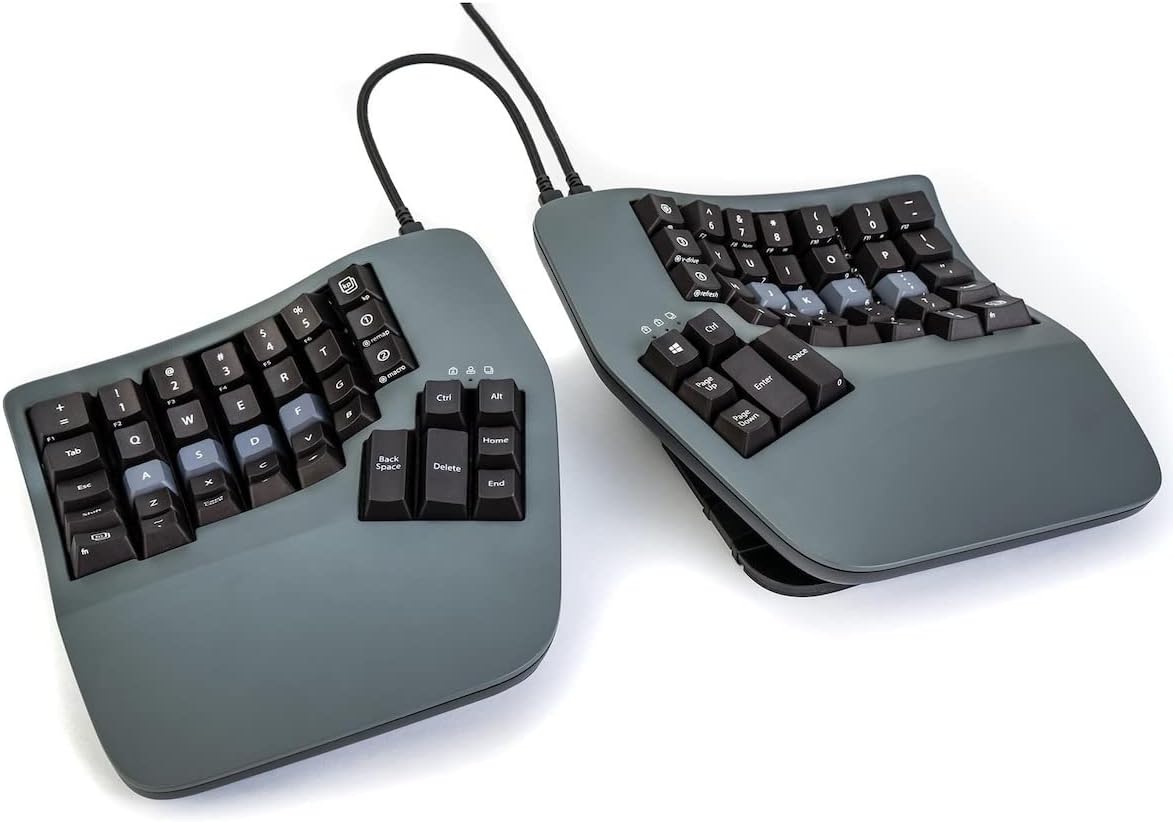
Verdict: It depends — overkill (and overpriced) for a mild ache, but the right call for chronic pain if you’ll commit to the learning curve.
For Sculpt fans: Incase Sculpt Ergonomic
Who it’s for: anyone who owned and loved the old Microsoft Sculpt and wants that exact domed, split, reverse-tilted feel — without hunting used listings.
The spec that matters is that this is the Sculpt: when Microsoft exited accessories, Incase took over building the same design, so you get the domed split keyframe, the reverse-tilt riser and the separate number pad that fans swore by. The dome encourages a neutral hand shape and the negative tilt keeps wrists flat — a proven RSI formula.
The honest con: as a newer relaunch it has fewer reviews than the legendary original, and the detached numpad is easy to misplace on a busy desk. The K860 is the more modern pick — but if the Sculpt is what your hands remember, this is it, brand-new.
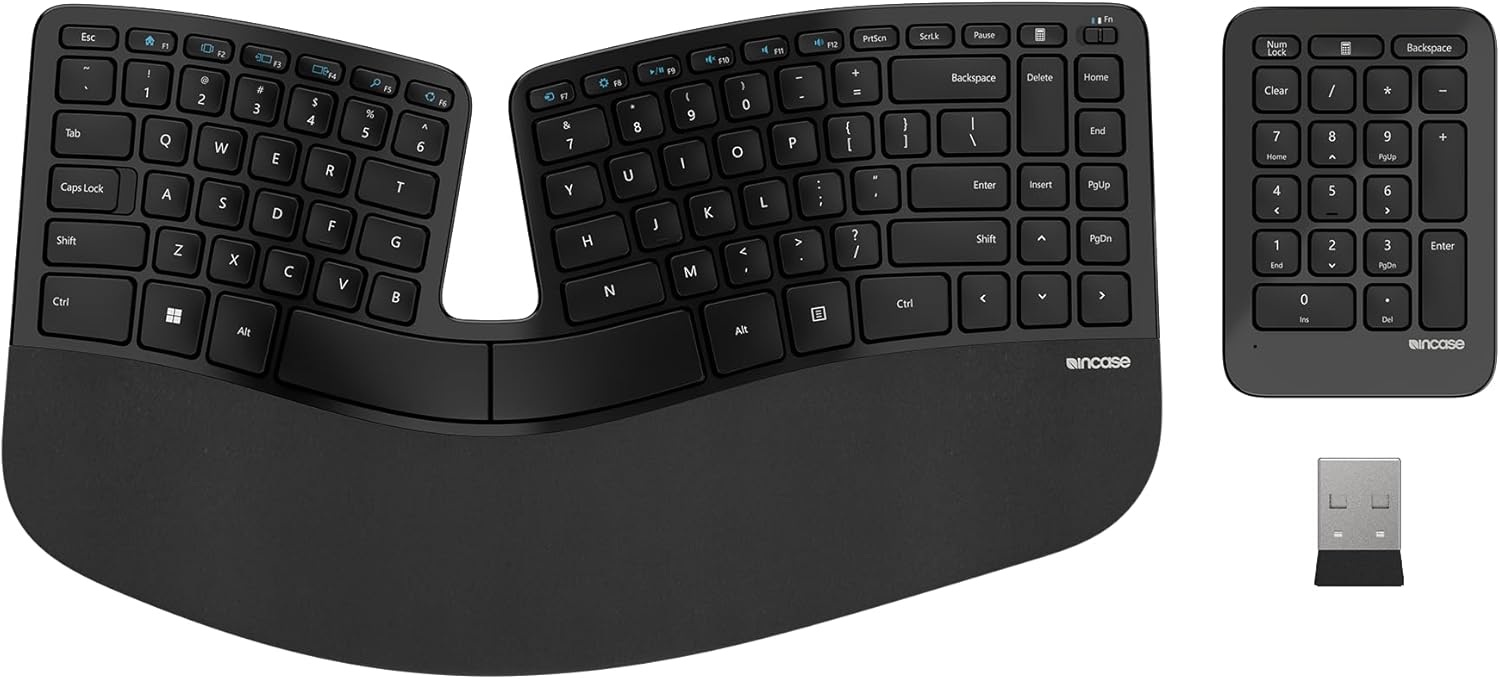
Verdict: It depends — buy it if you specifically want the Sculpt feel; otherwise the K860 is the safer modern default.
How to choose without wasting money
Two rules cover almost everyone. First, buy for the posture, not the spec sheet. The keyboard’s job is to stop your forearms pronating and your wrists extending — that’s split, tenting and reverse tilt. A heavy mechanical board with gorgeous switches that’s still flat and rectangular does nothing for your elbow. Match the geometry first; obsess over key feel never.
Second, match the spend to the severity. A mild, occasional ache doesn’t need a premium contoured board — a budget Perixx or the K860 will likely settle it. Chronic, daily pain that flatter boards haven’t touched is the only case that justifies the Advantage360. Buy the least keyboard that fixes your level of pain.
One myth to kill: the wrist rest is for resting, not typing. Parking your wrists on a pad while your fingers fly actually pins your wrist into extension — the exact angle you’re trying to avoid. Use the palm rest between bursts; float your hands while you type. The keyboard sets your posture, but you have to let it. Public ergonomics guidance like the OSHA computer-workstations eTool says the same thing: neutral, floating wrists, not planted ones.
Frequently asked questions
Can a keyboard actually cure tennis elbow?
No — and any product that claims to is lying. A keyboard removes a cause (the pronation and wrist extension a flat board forces), which lets the elbow calm down, but it’s one lever among several. Combine it with regular breaks, an ergonomic mouse, and physiotherapy for persistent pain. Treat the keyboard as prevention and load-reduction, not a cure.
Split or tented — which matters more for tennis elbow?
Split fixes the sideways wrist bend; tenting fixes the forearm rotation (pronation) that specifically aggravates the outer-elbow tendon in tennis elbow. If you can only have one, a split alone helps a lot; but tenting is the part that targets tennis elbow most directly, which is why an adjustable-tent board like the Kinesis Freestyle2 is worth considering if a fixed split isn’t enough.
Should I use the wrist rest while typing?
No. A palm or wrist rest is for resting between bursts of typing, not for planting your wrists on while you type — doing that forces your wrists into the upward (extended) angle you’re trying to avoid. Float your hands while actively typing and let them relax on the rest during pauses.
Are mechanical keyboards better or worse for RSI?
It depends on the switch, not the “mechanical” label. For a sore forearm, lighter and shorter-travel is better, because every keypress is less work — so a light linear or low-profile switch can help, while a heavy, tall switch can make things worse. Geometry (split/tent/tilt) matters far more than whether the board is mechanical or membrane.
Do I need a special mouse too, or just the keyboard?
Often, yes — the mouse is half the problem. The same forearm pronation that aggravates tennis elbow happens when you grip a flat mouse, so a vertical or ergonomic mouse complements an ergonomic keyboard. Fixing the keyboard while keeping a flat mouse leaves one of the two pronation sources in place.
How long until an ergonomic keyboard helps my elbow?
Posture improvement is immediate, but tendon pain takes time to settle — typically a few weeks of consistent use plus rest, not days. Contoured boards like the Advantage360 also add a 1–3 week typing-speed dip while you adapt. If pain is severe or isn’t improving after a few weeks, see a physiotherapist rather than buying more gear.
Related guides
An ergonomic keyboard is one half of a pain-free desk. Pair it with the right pointer in our best ergonomic mouse guide — the mouse causes the same forearm pronation — and read our take on whether a keyboard wrist rest is necessary before you buy one. If you’re rethinking the whole setup, the ergonomic workspace hub covers chair, desk and monitor height too, and the keyboards hub has our wider picks.