Updated June 2026
Walk down the “gaming keyboard” aisle and the pitch never changes: more RGB, more keys, more “pro.” None of that is what decides whether a budget mechanical keyboard is actually nice to type on. Two specs do — the switch under each key, and whether the board is hot-swappable (can you pull a switch out and drop a new one in without a soldering iron). Get those right and a well-chosen budget board out-types a careless premium one.
This guide is for anyone buying a first real mechanical keyboard, or a second one for the office, without paying extra for a logo. Every pick below is a currently-sold model on Amazon.com, chosen from rated specs and aggregated owner reviews — not a press sample we got to keep.
TechnoQia is reader-supported. When you buy through links on our site we may earn an Amazon Associates commission — it never changes our pick or the price you pay.
The myth to kill first: “mechanical” does not mean “good.” A cheap board with rattly stabilizers and pad-printed keycaps is still a bad keyboard. What you’re really buying down here is a decent switch on a frame stiff enough not to flex. Here’s where that actually happens.
The short answer
- Best for most people: the Redragon K617 Fizz — hot-swappable, 60%, and affordable. You can change the feel later without buying a new board.
- Cheapest one that’s still good: the Redragon K552 — no hot-swap, but the proven workhorse with 39,000+ ratings.
- Best wireless: the Royal Kludge RK61 — Bluetooth, 2.4GHz and USB-C in one board.
- Best full-size for work: the Keychron C2 Pro — number pad, PBT keycaps and QMK/VIA remapping.
Budget mechanical keyboards compared
Ranked by the four specs that actually decide the buy — price, layout, whether you can swap switches, and how it connects. Star ratings are the Amazon average at the time of writing; independent test lab RTINGS and Tom’s Hardware rate this same tier highly.
| Keyboard | Layout | Hot-swap | Connection | Rating | Best for |
|---|---|---|---|---|---|
| Redragon K617 Fizz | 60% (61-key) | Yes | Wired USB-C | 4.6 ★ | Most people / small desks |
| Redragon K552 | TKL (87-key) | No | Wired USB | 4.5 ★ | Cheapest safe bet |
| Royal Kludge RK61 | 60% (61-key) | Yes | BT + 2.4GHz + wired | 4.5 ★ | Wireless |
| Keychron C2 Pro | Full-size (104) | Yes | Wired USB-C | 4.2 ★ | Typing / office |
| Ajazz AK820 Pro | 75% (82-key) | Yes | BT + 2.4GHz + wired | 4.6 ★ | Enthusiast feel |
Redragon K552 — the cheapest one that’s still good
The K552 is the keyboard that taught a generation mechanical didn’t have to mean expensive. It’s an 87-key tenkeyless slab with a steel top plate, Outemu switches (Red linear or Blue clicky) and rainbow or RGB lighting depending on the version. It holds a 4.5-star average across more than 39,000 Amazon ratings — a sample size big enough to smooth out the quality lottery you sometimes get with cheap gear.
Who it’s for: a first mechanical keyboard, a spare for the office, or a gaming board you won’t mourn if you spill on it. The spec that matters here is the metal frame — it’s why the K552 doesn’t flex and creak like the cheapest plastic boards.
The honest con: the keycaps are ABS and will go shiny within a year, the cable is fixed, and it is not hot-swappable — the switches are soldered, so the feel you buy is the feel you keep. The stabilizers rattle a little out of the box.
Verdict: Buy it — if you want the safest cheap pick and don’t care about swapping switches later.
Redragon K617 Fizz — best for most people
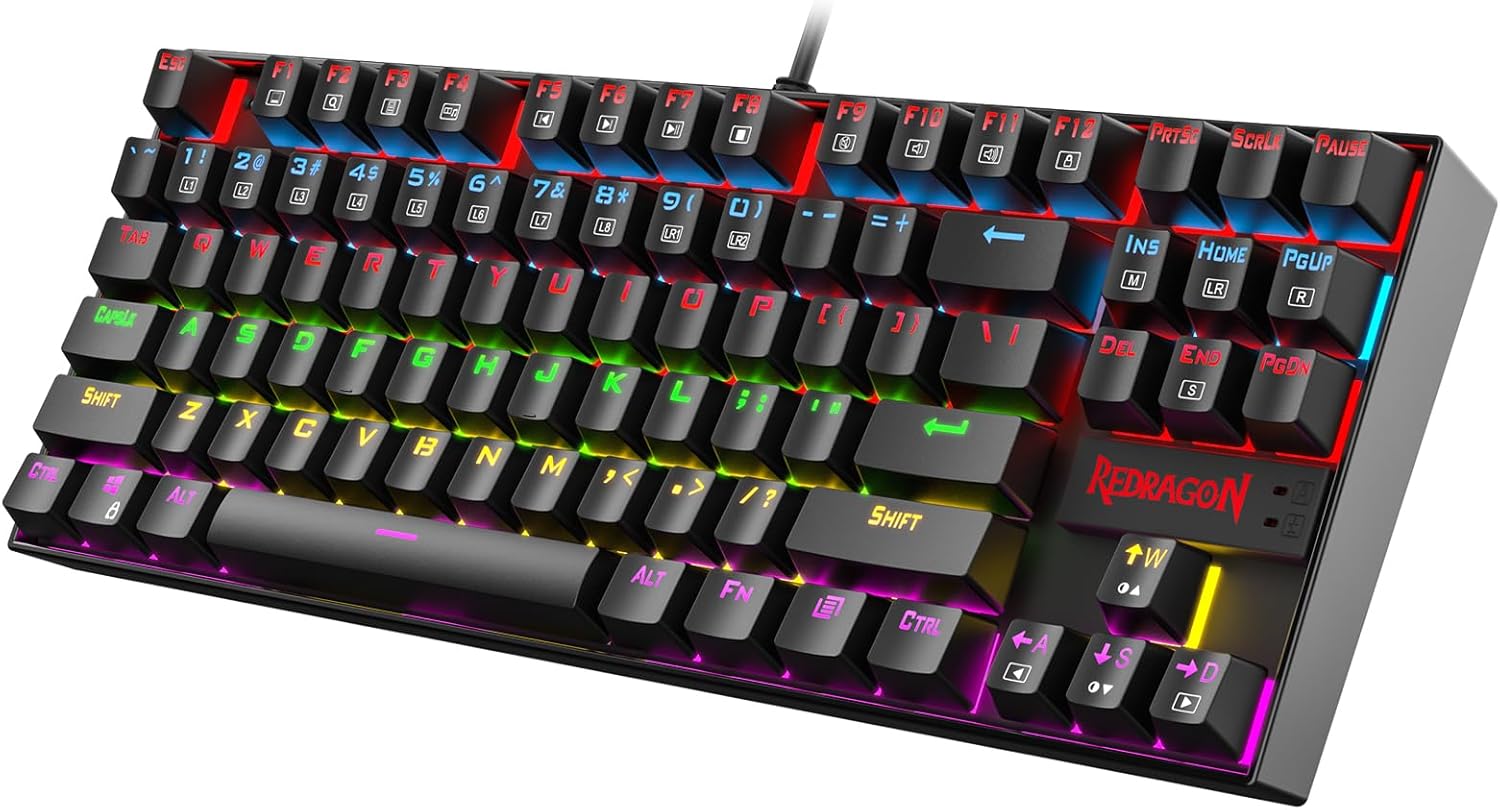
The Fizz takes what the K552 got right, shrinks it to a 60% (61-key) footprint, and adds the one feature that future-proofs a budget board: hot-swap sockets. Don’t like the linear reds it ships with? Pull them out by hand and drop in tactiles or clicky switches for a few dollars — no soldering, no new keyboard. It holds a 4.6-star average across 6,000+ ratings, it’s the value sweet spot.
Who it’s for: anyone short on desk space, or a beginner who suspects they’ll want to tinker. The 60% layout drops the arrow keys, function row and number pad — you reach them on an Fn layer. That’s the trade for the small footprint, and it takes about a week to stop fumbling.
Concede the downside: Redragon’s configuration software is clunky, and a 60% board is the wrong shape for spreadsheet work. But for typing, browsing and gaming on a tight desk, nothing near the price does more.
Verdict: Buy it — the best all-rounder here, and where most readers should start.
Royal Kludge RK61 — best budget wireless
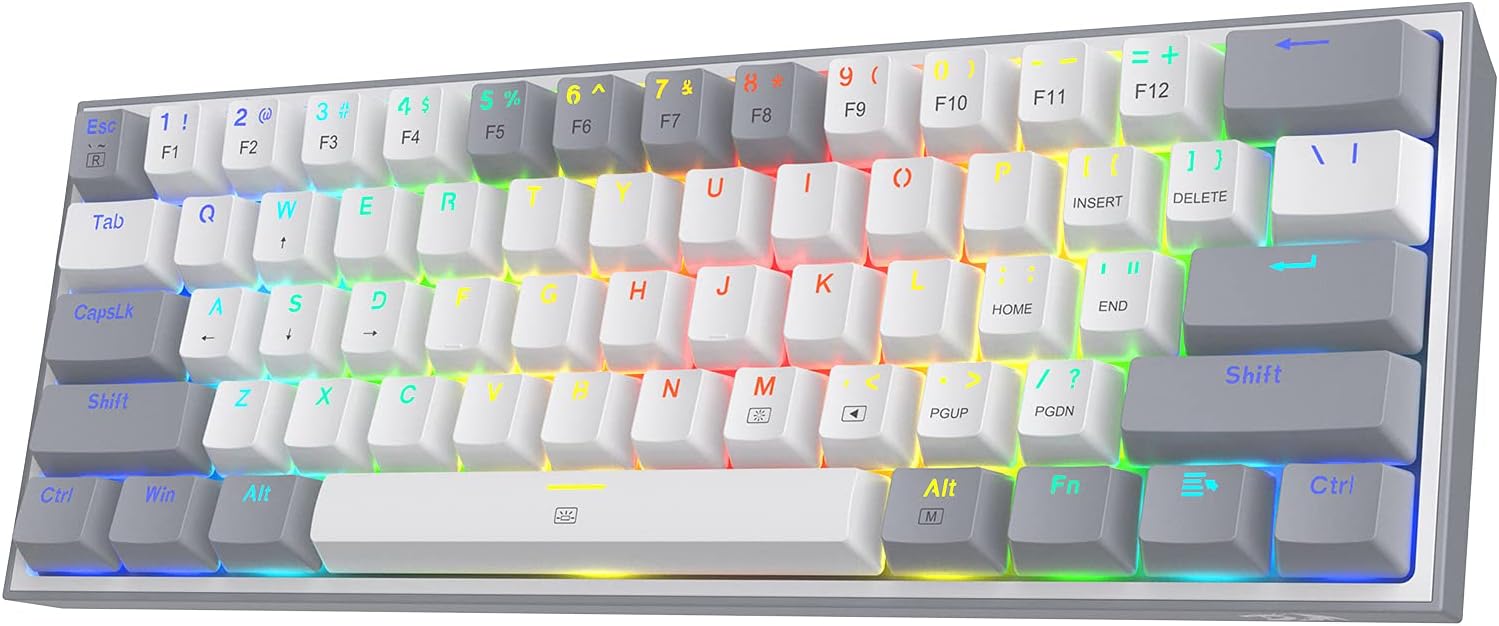
Wireless usually means a price jump. The RK61 didn’t get the memo: it gives you three ways to connect — Bluetooth 5.0 across up to three devices, a low-latency 2.4GHz dongle for gaming, and plain USB-C when the battery’s flat. It’s another hot-swappable 60% board, so the customisation story matches the Fizz.
Who it’s for: people who hop between a laptop, tablet and phone, or who just hate cable clutter. The spec that matters is that 2.4GHz mode — Bluetooth adds a few milliseconds of lag competitive players feel, and the dongle sidesteps it.
The catch: the built-in battery is small, so you’ll top it up weekly with the lights on, and like every 60% board there’s a layout learning curve. Wired still wins for pure latency and never needing a charge, so if your keyboard never leaves the desk, the Fizz saves you money.
Verdict: It depends — buy it if wireless flexibility matters; skip it if your board lives on one desk.
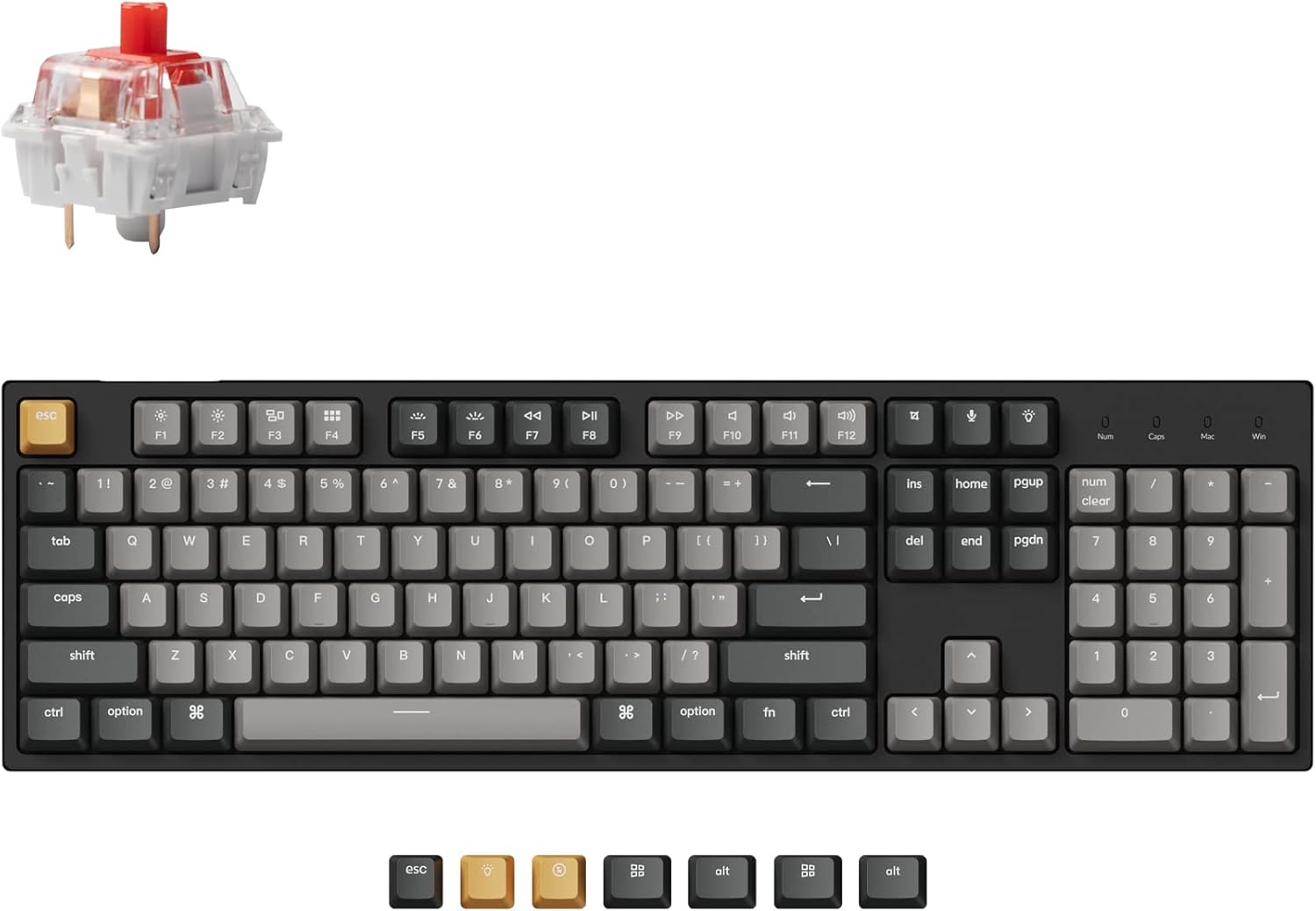
Keychron C2 Pro — best full-size for typing and work
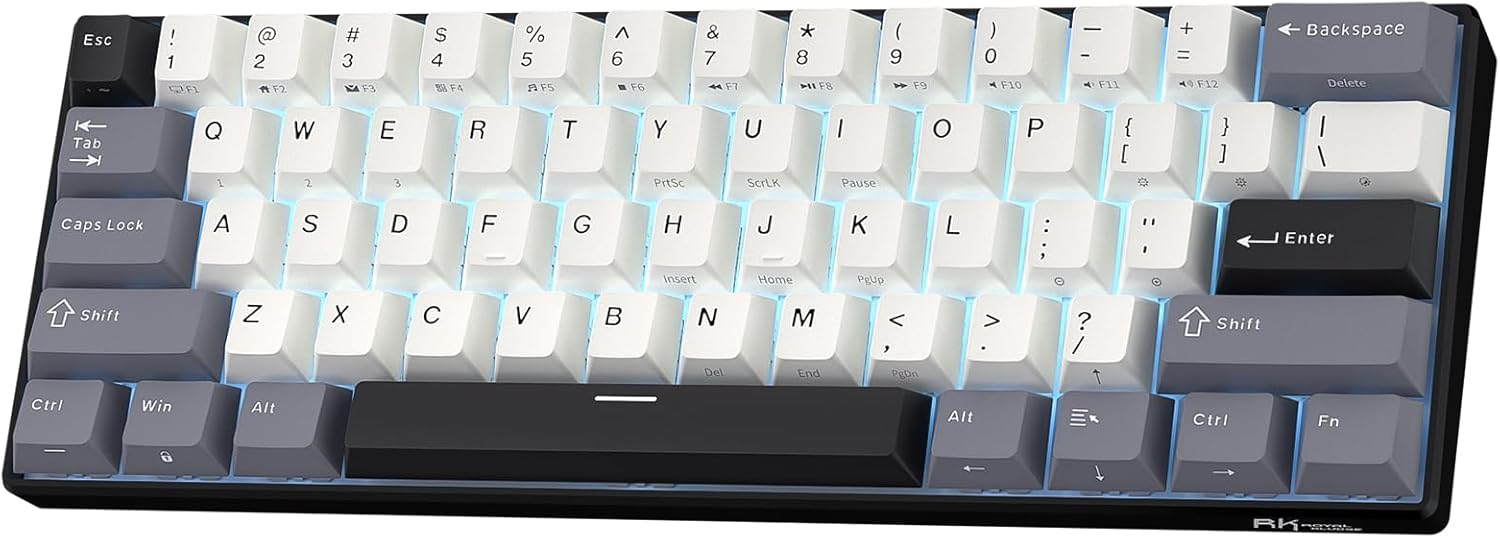
A 60% board is a terrible spreadsheet tool. If you live in numbers — accounting, data entry, anything with a 10-key — you want the full 104-key layout, and the C2 Pro is the budget one done properly. It pairs a steel plate with double-shot PBT keycaps (the good kind that don’t go shiny), hot-swap sockets, and QMK/VIA support so you can remap every key in your browser. Currently a 4.2-star average — a smaller review base than the Redragons because it’s a newer model, so skim recent reviews before buying.
Who it’s for: office and work-from-home setups where the number pad earns its desk space. The spec that matters is QMK/VIA — open-source firmware that outlives the company’s app, exactly the kind of support that separates a keyboard you keep from one you replace.
The honest con: it’s wired-only, and a full-size board eats desk width you might want for mouse sweeps.
Verdict: Buy it — for typists and number-crunchers who want PBT and a num pad without breaking the bank.
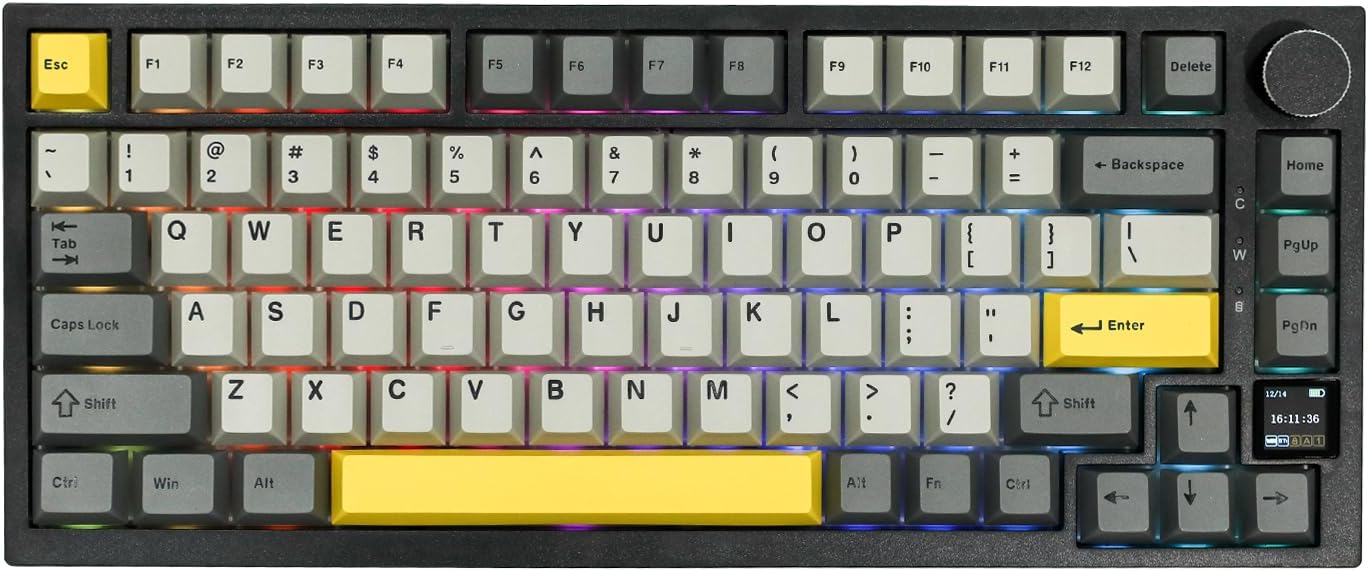
EPOMAKER Ajazz AK820 Pro — most features for the money
This is the one that makes you re-read the price. The AK820 Pro is a gasket-mounted 75% board — the cushioned construction enthusiasts pay triple for — with pre-lubed hot-swap switches, double-shot keycaps, triple-mode wireless, a volume knob, and a little TFT screen that shows the time, battery and GIFs. A 4.6-star average across thousands of ratings says the build holds up.
Who it’s for: the budget buyer who wants the enthusiast typing feel — softer, deeper, quieter — without the enthusiast invoice. The spec that matters is gasket mounting; it’s the single biggest reason this sounds and feels nicer than the stiff Redragons.
The deflation: the TFT screen is a gimmick you’ll show a friend once and then ignore, and EPOMAKER’s software is fiddly. Ignore the screen and you’ve still got the best-feeling board on this list.
Verdict: Buy it — if you can stretch a little and want the nicest typing experience here.
How to choose a budget mechanical keyboard
Strip away the marketing and four decisions remain.
1. Switch type. Linear (red) is quiet and smooth for gaming; tactile (brown) gives a typing bump; clicky (blue) is the loud typewriter sound your housemates will hate. There’s no “best” — only best for the noise you can live with. On a hot-swap board you can change your mind later for the price of a coffee. If you’re torn, here’s why mechanical keyboards feel better for typing.
2. Hot-swap or not. Soldered switches lock in the feel forever; hot-swap sockets let you tune it. For a first board, hot-swap is cheap insurance against picking the wrong switch.
3. Layout. Full-size if you need a number pad, TKL for a balance, 60%/75% to free up desk and mouse room. Match it to the work you actually do, not the aesthetic.
4. Keycaps. PBT survives; ABS goes shiny. It’s a small line on the spec sheet that decides how the board looks in a year.
The trap to avoid: a flagship custom keyboard for everyday typing is a chainsaw for butter — it works, but you paid for teeth you’ll never use. Most people are happiest with the second-cheapest board that clears the spec they actually care about, which is exactly why the budget Fizz, not a premium custom, tops this list. For the full breakdown, our guide to choosing the perfect keyboard goes deeper, and you’ll find more reviews in our mechanical keyboards hub.
Frequently asked questions
Are budget mechanical keyboards any good?
Yes. In the budget tier you get a genuine mechanical switch, a metal or stiff-plastic plate, and often hot-swap sockets. What you give up versus a premium board is fancier keycaps, gasket mounting and software polish — not core typing quality.
What’s the cheapest mechanical keyboard actually worth buying?
The Redragon K552. Its 4.5-star average across 39,000+ ratings is the largest, most reliable track record in the budget tier. At the very bottom of the market you’re usually buying mushy switches and flexy plastic.
Is a hot-swappable keyboard worth it on a budget?
For a first board, yes. Hot-swap sockets let you change switches by hand for a few dollars instead of replacing the whole keyboard if you pick the wrong feel. The Fizz, RK61 and AK820 Pro all have it.
Red, brown or blue switches — which should I get?
Red is linear and quiet (good for gaming), brown is tactile with a soft bump (a solid all-rounder for typing), blue is clicky and loud (satisfying, but not for shared rooms). On a hot-swap board the choice isn’t permanent.
Are cheap mechanical keyboards good for gaming?
Plenty are. Anti-ghosting and N-key rollover — the features that matter for gaming — are standard even on a budget. For competitive play a 2.4GHz wireless board like the RK61 or any wired model keeps latency low; lean on Bluetooth only for casual use.
Do budget mechanical keyboards last?
The switches are rated for tens of millions of presses, so the mechanism outlasts the keycaps. ABS caps go shiny in a year; PBT caps (on the C2 Pro and AK820 Pro) hold up far longer. A clean now and then helps — here’s how to clean mechanical keyboard switches.
Membrane or mechanical on a tight budget?
If you can stretch a little, mechanical wins on feel, durability and repairability. Below that a good membrane board can beat a bad mechanical one — but every pick on this list clears that bar.
Bottom line: ignore the RGB arms race. Buy the cheapest board that clears the one spec you care about, and spend the difference on something with a screen worth looking at.