Updated June 2026
“Which is better, chiclet or mechanical?” is the wrong question — it’s like asking whether a road bike is better than a mountain bike. The honest answer is: better for what. One is built to disappear into a slim laptop and stay silent in an open office; the other is built to be felt, heard, and kept for a decade. Pick the wrong one for your situation and you’ll notice every single day.
The differences come down to a handful of things you’ll actually feel: how far the keys travel and how they feel at the bottom, how loud they are, how long they last, and how much they cost. Once you know which of those matters most to you, the choice makes itself.
This is a straight comparison, not a sales pitch — but where it helps, we link a strong example of each type via Amazon (TechnoQia earns a small commission at no cost to you). Let’s settle it.
- Go mechanical if you type or game for hours, want crisp feedback and a keyboard that lasts 5–10× longer, and don’t mind some noise and bulk.
- Go chiclet if you want slim, quiet, light and affordable — for laptops, shared offices, and travel where feel matters less than footprint.
TechnoQia · keyboard types compared
Chiclet vs mechanical, at a glance
How the two compare on the things that actually change your typing.
Swipe to compare →
| Chiclet | Mechanical | |
|---|---|---|
| Typing feel | Soft, shallow | Crisp, defined |
| Key travel | ~1.5–2mm | ~3.5–4mm |
| Noise | ✓ Quiet | △ Varies |
| Durability | ~5–10M presses | 50–100M presses |
| Repairable | ✗ Whole-deck | ✓ Per-switch |
| Portability | ✓ Slim | ✗ Bulky |
| Customization | ✗ Minimal | ✓ Extensive |
| The decider | Slim, quiet, value | Feel, lifespan, custom |
What is a chiclet keyboard?
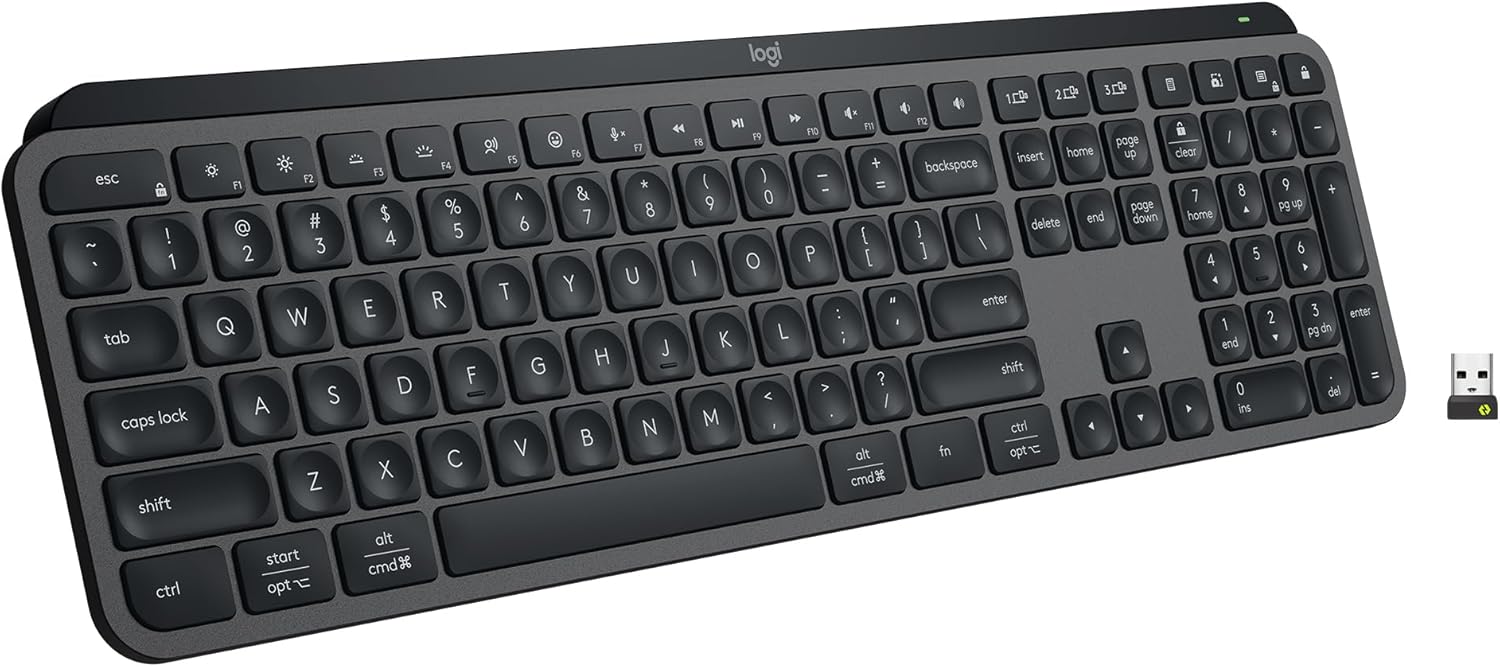
A chiclet keyboard (also called an island-style keyboard) has flat, square keys with rounded corners spaced apart over a scissor or membrane mechanism — the same kind of board built into almost every modern laptop. The keys sit close to the deck and travel only about 1.5–2mm before bottoming out, which makes typing fast, light and quiet.
Chiclet is the right word for slim, silent and affordable. The trade-off is feel: there’s little tactile feedback, so you tend to “bottom out” on every key, and over long sessions that flat, mushy landing can cause more finger fatigue. If a row of the membrane fails, you usually replace the whole board rather than one key. The best chiclet boards, like the Logitech MX Keys S, refine the formula with sculpted key dishes and a quieter, more positive press than a typical laptop.
What is a mechanical keyboard?
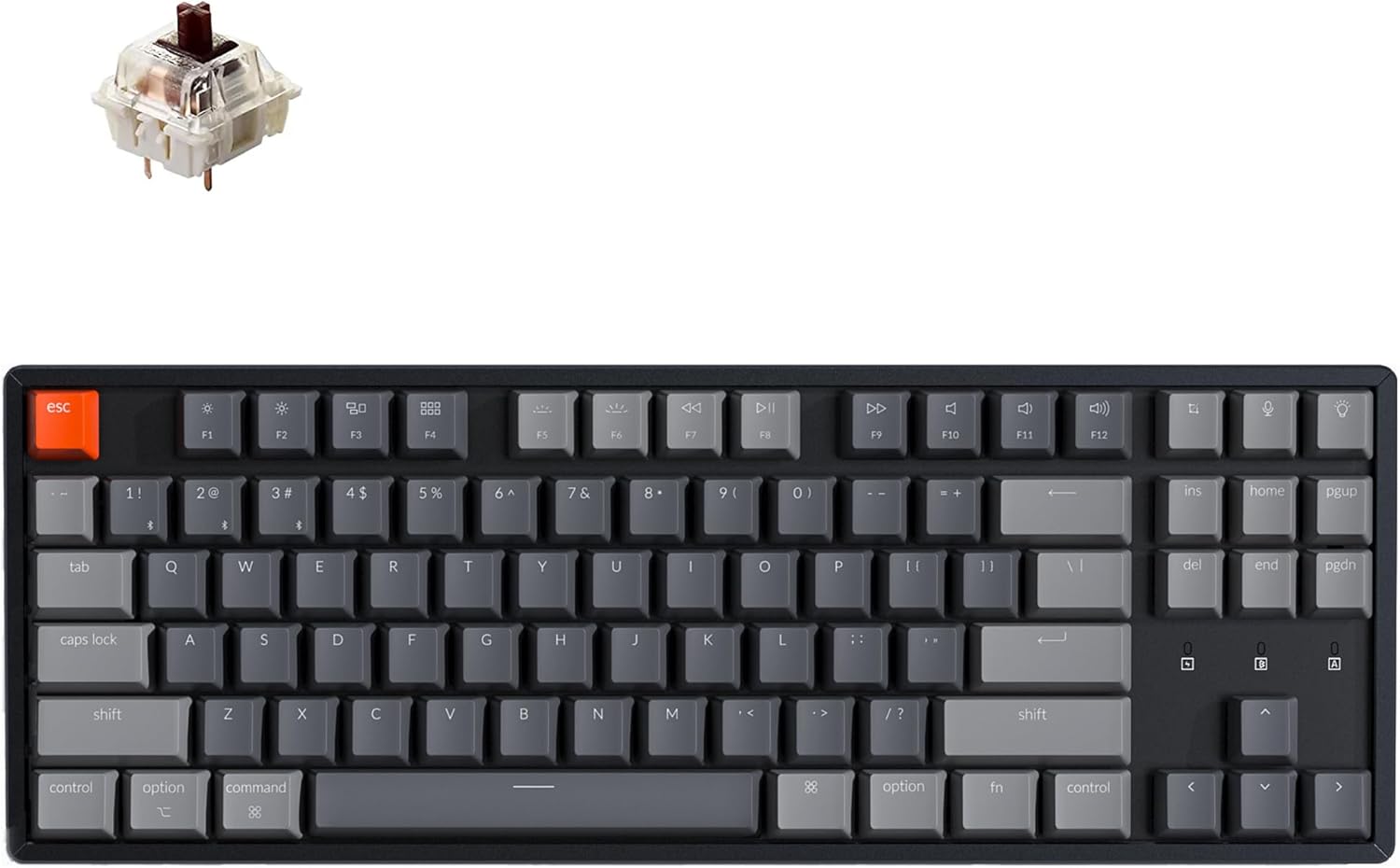
A mechanical keyboard uses an individual spring-loaded switch under every key, with a stem and housing that registers the press partway down — not at the bottom. That single design choice is why mechanical boards feel so different: you get a defined actuation point, around 3.5–4mm of travel, and feedback you can choose (linear for smooth, tactile for a bump, clicky for an audible snap).
The upside is feel, longevity and control: switches are rated for 50–100 million presses (versus a few million for membranes), you can swap keycaps and even switches on hot-swappable boards, and most fast typists make fewer errors thanks to the consistent feedback. The downsides are real too — they’re thicker, heavier, often louder, and pricier. A board like the hot-swappable Keychron K8 is a popular gateway: wireless, Mac/Windows, and you can change the switches without soldering.
Typing feel and travel — the biggest difference
This is the one you feel within ten seconds. Chiclet keys are shallow: you press a short distance and hit a flat stop, so your fingers do a lot of small, hard landings. Mechanical keys register about halfway through a longer travel, so you can type “lighter” without bottoming out, and the consistent actuation point is why many people type faster and more accurately on them after a short adjustment.
Neither is universally “better.” Some people love the speed and low effort of a good chiclet; others find anything shallow tiring over a full workday. If your hands or forearms already ache from typing, the keyboard’s shape matters even more than its switch type — our guide to the best keyboards for tennis elbow covers split and tented options for both styles.
Noise — the office deal-breaker
Chiclet boards are quiet by default — a soft thock at most. Mechanical noise depends entirely on the switch: linear (red) switches are fairly quiet, tactile (brown) are moderate, and clicky (blue) are genuinely loud — the kind that gets you side-eye on a video call or in a shared room. If you work in an open office or take a lot of calls, either pick a chiclet or choose silent/linear mechanical switches. Don’t buy clicky blues for a quiet space and expect to keep them.
Durability and repairability
Mechanical wins decisively here. Each switch is rated for tens of millions of presses, so a good mechanical board can outlast several laptops — and when something does go wrong, you can replace a single keycap or (on hot-swap boards) a single switch. Chiclet membranes are rated far lower and are essentially disposable: when a key or row dies, you typically replace the whole keyboard. It’s a big reason enthusiasts argue mechanicals are cheaper over the long run despite the higher sticker — more on that in our piece on why mechanical keyboards cost what they do.
Portability and price
If you carry your keyboard, chiclet is the obvious pick: slim, light, and often foldable or built into the laptop itself. Mechanical boards are thicker and heavier, though compact 60% and 65% layouts narrow the gap. On price, chiclet starts lower and a basic one is genuinely cheap; mechanical spans from affordable to enthusiast-expensive. If budget is the main constraint and you still want the mechanical feel, our best budget mechanical keyboards shows how little you can spend to get there.
Which should you choose?
Match the board to how you actually work:
- You type all day for work: mechanical, with tactile or silent switches — the feedback reduces fatigue and errors.
- You game seriously: mechanical — faster, more consistent actuation and far more durable under heavy key-mashing.
- You’re in a shared/quiet office: chiclet, or silent linear mechanical — noise is the constraint.
- You travel or want minimal desk footprint: chiclet — slim and light wins.
- You’re on a tight budget: a basic chiclet is cheapest, but a budget mechanical isn’t far off if feel matters.
Still unsure? Default to a good chiclet if quiet and portability lead your list, and to a hot-swappable mechanical if feel and longevity do — the hot-swap means you can re-tune the typing experience later without buying a new board. Browse our full keyboard guides for specific picks in each camp.
Frequently asked questions
Is a chiclet or mechanical keyboard better for typing?
For long typing sessions, most people find mechanical more comfortable and accurate, because the keys actuate partway down so you can type without hard bottoming-out, and the feedback is consistent. Chiclet is perfectly fine for lighter or occasional typing and wins on quietness and slimness. The “better” choice depends on how many hours you type and how much you value feedback versus a low profile.
Are chiclet keyboards bad for gaming?
They’re not bad, but they’re not ideal for serious gaming. Mechanical switches offer faster, more consistent actuation and N-key rollover, and they handle rapid, repeated presses better over time. For casual gaming a chiclet is fine; for competitive play, a mechanical keyboard has a real edge in responsiveness and durability.
Do mechanical keyboards last longer than chiclet?
Yes, by a wide margin. Mechanical switches are typically rated for 50–100 million presses, while chiclet membranes are rated for only a few million. Mechanical boards are also repairable per-key or per-switch, whereas a failed chiclet usually means replacing the whole keyboard — so mechanical often works out cheaper over many years.
Is a chiclet keyboard the same as a membrane keyboard?
Not exactly. “Chiclet” describes the key shape — flat, spaced island keys — while “membrane” and “scissor” describe the mechanism underneath. Most chiclet keyboards use a scissor or membrane mechanism, but the term refers to the look and low profile of the keys, not the switch technology itself.
Are mechanical keyboards worth the extra money?
If you type or game for hours a day, usually yes — you get better feel, fewer errors, far longer life, and the option to customize keycaps and switches. If you mostly do light typing, value quiet and slimness, or carry your keyboard everywhere, a good chiclet gives you most of what you need for less.
Which is better for your wrists, chiclet or mechanical?
Switch type matters less for your wrists than the keyboard’s shape and your posture. A mechanical board lets you type without bottoming out, which some find gentler, but a flat chiclet keeps your hands lower. For genuine wrist or forearm pain, prioritise an ergonomic (split or tented) layout and a wrist rest over the chiclet-versus-mechanical question.