Updated July 2026
For pure data entry, the best keyboard is the Keychron K10 Max — and the spec that decides it isn’t typing feel on the letters, it’s the number pad: full-size 19 mm key spacing on the 10-key, tactile switches that confirm every digit, and full n-key rollover so rapid-fire number bursts never drop a keystroke. If your job is punching digits eight hours a day, you’re not buying a keyboard. You’re buying a numpad with a keyboard attached.
That’s the myth to clear up front: round-ups treat data entry keyboards as “office keyboards, but sturdier.” Wrong lens. A 10-key operator’s right hand lives on 17 keys. The quality of those 17 keys — spacing, tactility, whether there’s a 00 key — decides your error rate and your speed far more than anything on the alpha side. Testing across data-entry roles consistently shows numpad users entering numeric data 40–60% faster than top-row typists; the numpad is the product.
What actually matters on a data entry keyboard
Numpad key spacing and size. Full-size 19 mm centre-to-centre spacing, full-height keys. Compact boards that shrink the numpad to fit save desk space and cost you accuracy on every entry.
Tactility on the 10-key. You enter numbers while reading a source document — your eyes aren’t on your hand. A tactile bump (or the firm scissor snap on good office boards) is your confirmation that the digit registered. Mushy membrane numpads are where transposition errors breed.
N-key rollover. Fast 10-key bursts overlap keystrokes constantly. Boards with limited rollover silently eat digits — and unlike a typo in prose, a dropped digit in a spreadsheet can survive audit after audit. (That silent dropping is keyboard ghosting, and it’s disqualifying here.)
The 00 key question. Dedicated adding-machine-style pads offer 00 and even 000 keys. If you enter currency all day, that one key saves thousands of keystrokes a week. No standard keyboard has it — which is exactly why the dedicated-numpad option below exists.
One boundary worth drawing: this guide is for 10-key-first work — invoices, ledgers, forms. If your day is more formulas, navigation, and Ctrl-shortcut gymnastics inside spreadsheets, that’s a different spec list, and our best keyboard for Excel guide covers it.
1. Keychron K10 Max — buy it (best for most data entry work)
Full-size layout, hot-swappable tactile switches, full n-key rollover, and QMK/VIA remapping — so you can put Tab, Enter, or your ERP’s field-jump shortcut anywhere your right hand wants it. The tactile confirmation on every digit is exactly what heads-down 10-key work needs, and mechanical switches rated for 50–100 million presses shrug off the volume. Works wired (do that for work) or wireless.
Buy it if: you enter data full-time and want the best numpad feel plus remappable keys.
Skip it if: your office needs silence — get it with silent switches, or take the MX Keys S below.
Check Keychron K10 Max on Amazon
2. Logitech MX Keys S — buy it (best quiet office pick)
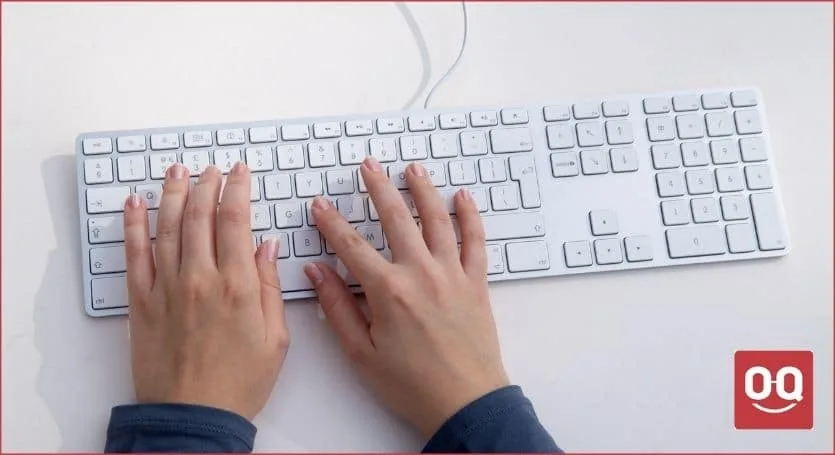
The full-size MX Keys S keeps a proper 10-key with dished, stable scissor keys at ~1.8 mm travel. The snap is crisp enough to confirm keystrokes by feel, and it’s near-silent — the right call for open offices and shared spaces. It’s also the least fatiguing board here over an 8-hour shift, which is why it tops our transcription keyboard guide too.
Buy it if: you split time between data entry and normal office work, or noise is a constraint.
Skip it if: you’re a hard-core 10-key operator — the shallow travel gives less confirmation than a tactile mechanical numpad.
Check Logitech MX Keys S on Amazon
3. Compact keyboard + dedicated USB numpad — buy it (the honest alternative)
Here’s the option most round-ups skip because it’s two products: a tenkeyless or 75% keyboard you already like, plus a dedicated mechanical numpad like the Keychron Q0 Plus. Why it’s often the better setup: you position the numpad exactly where your right hand rests (or on the left, freeing your right for the mouse), you get extra programmable keys — map one as 00 — and you can buy a better numpad than the one bolted onto any full-size board. Pair it with something from our budget mechanical keyboards list and you’re still under flagship money.
Buy it if: you want optimal numpad placement, a programmable 00 key, or left-hand 10-key.
Skip it if: you want one device and zero setup — fair enough, take the K10 Max.
Check Keychron Q0 Plus on Amazon
4. Logitech ERGO K860 — it depends (ergonomic with a real numpad)
Most ergonomic boards amputate the numpad — useless for this job. The ERGO K860 keeps a full 10-key on a split-curved deck with a pillowed wrist rest, positioning your forearms at a natural angle for long shifts. The catch: the numpad sits far right of the curved alpha block, so the reach is longer than on a flat board, and the scissor keys are quiet but unremarkable.
Buy it if: wrist or forearm pain is creeping in and you can’t give up the built-in 10-key.
Skip it if: you’re pain-free — you’d be paying an ergonomic premium for a mid numpad. (Elbow-specific pain? See our tennis elbow keyboard guide.)
Check Logitech ERGO K860 on Amazon
5. Epomaker TH99 — it depends (wireless endurance pick)
A 96%-layout mechanical that keeps the full numpad while trimming dead space, with a huge 8,000 mAh battery rated at 3+ months per charge and tri-mode connectivity. The 96% layout squeezes the numpad closer to the alphas — shorter reach, slightly tighter cluster. Good tactile switch options, hot-swap sockets.
Buy it if: you want mechanical 10-key feel, wireless, without full-size desk footprint.
Skip it if: the tighter key cluster bothers your muscle memory — classic full-size spacing is safer for max accuracy.
Comparison at a glance
| Pick | Best for | Why it wins | The catch |
|---|---|---|---|
| Keychron K10 Max | Full-time 10-key operators | Tactile hot-swap numpad, NKRO, remappable | Not silent with stock switches |
| Logitech MX Keys S | Quiet offices, mixed work | Crisp scissor 10-key, near silent, low fatigue | Shallow travel, less tactile confirmation |
| Compact board + Keychron Q0 Plus | Placement and 00-key freedom | Best numpad quality and position, programmable | Two devices to buy and manage |
| Logitech ERGO K860 | RSI-prone entry clerks | Split-curve ergonomics with full numpad | Long reach to the 10-key; mid key feel |
| Epomaker TH99 | Wireless mechanical fans | Full numpad in 96% footprint, 3-month battery | Tighter cluster takes adjustment |
Rounding out the desk? Browse the rest of our keyboard guides.
FAQ
Do I need a mechanical keyboard for data entry?
No, but the numpad benefits from tactility. A tactile mechanical numpad confirms each digit by feel, which matters because your eyes are on the source document, not your hand. If mechanicals are too loud for your office, a crisp scissor-switch board like the Logitech MX Keys S is the quiet compromise; avoid mushy membrane numpads.
Is a separate number pad better than a full-size keyboard?
Often, yes. A dedicated USB numpad like the Keychron Q0 Plus can be positioned exactly where your hand rests, used left-handed to free the mouse hand, and programmed with a 00 key — something no standard full-size keyboard offers. The trade-off is managing two devices instead of one.
What is a 00 key and do I need one?
A 00 key enters two zeros with one press, borrowed from adding machines. If you key currency amounts all day — invoices, ledgers, point-of-sale — it eliminates thousands of keystrokes a week. It’s found on dedicated numpads and programmable pads, not on standard keyboards.
What’s the difference between a data entry keyboard and an Excel keyboard?
Data entry is numpad-first: 10-key speed, key spacing, tactility, and rollover decide the purchase. Excel work is shortcut-first: you live on Ctrl combos, F-keys, and navigation clusters, so remappability and layout matter more than raw 10-key feel. There’s overlap, but the priority order flips.