Here’s the mistake almost everyone makes buying a power bank for a MacBook Pro: they shop by capacity. A “massive 30,000mAh” bank sounds great until you plug in your laptop and watch the battery keep dropping while it’s connected — because that bank only pushes 18W, and a MacBook Pro wants 60 to 140. Capacity is the size of the fuel tank; what actually charges your laptop is the flow rate, measured in watts of USB-C Power Delivery.
So this guide ranks on the spec that matters: USB-C PD output. A 14-inch MacBook Pro fast-charges at around 67–96W; the 16-inch wants up to 140W. Then comes capacity — and the part most lists ignore — the 100Wh airline limit that quietly rules out some of the biggest banks for carry-on travel.
TechnoQia is reader-supported: if you buy through the Amazon links below we earn a small commission at no extra cost to you, and it never changes the rankings. Every pick here was chosen on real wattage, usable capacity, and whether it’ll actually fly with you. Ratings are pulled live from Amazon at the time of this update.
This is for anyone who needs to charge a MacBook Pro away from a wall — students, travellers, remote workers — and wants the bank to actually keep up while they use it.
- Best for most people: the Anker 737 — 140W output, 24,000mAh, a smart display, and a 4.4-star track record across 17,000+ ratings.
- Best value: the UGREEN 145W 25,000mAh — flagship power for noticeably less.
- Cheapest that still fast-charges: the INIU 140W 27,000mAh — full power, airline-safe capacity.
The shortlist, compared
Six banks, scored on what decides MacBook charging — USB-C output, capacity, and whether it’s carry-on legal. Product names link to Amazon.
| Power bank | Max USB-C output | Capacity | Carry-on legal | Rating | Best for |
|---|---|---|---|---|---|
| Anker 737 | 140W | 24,000mAh (86Wh) | ✓ Yes | 4.4 ★ | Most people |
| UGREEN 145W | 140W | 25,000mAh (90Wh) | ✓ Yes | 4.3 ★ | Value |
| Anker Prime 250W | 140W (250W total) | 27,650mAh (99.5Wh) | ✓ Just under | 3.8 ★ | 16″ + multi-device |
| Baseus Blade 100W | 100W | 20,000mAh (72Wh) | ✓ Yes | 4.4 ★ | Slim / travel |
| INIU 140W | 140W | 27,000mAh (97Wh) | ✓ Yes | 4.3 ★ | Budget |
| Anker Nano 30W | 30W | 10,000mAh (36Wh) | ✓ Yes | 4.3 ★ | Pocket top-up |
TechnoQia · MacBook power-bank map
Which power bank for your MacBook Pro?
Your laptop size and travel plans set the priority; one spec — usually wattage — decides the pick.
Decider: 140W output and 24,000mAh — fast-charges any MacBook Pro, with a display so you know what’s happening.
Decider: the same 140W charging and three ports as the premium banks, for noticeably less.
Decider: 250W total across three ports — laptop at 140W while a phone and tablet charge too.
Decider: a 0.7-inch laptop-flat shape that still pushes a full 100W.
Decider: the full 140W and near-max airline-legal capacity at the lowest price here.
Anker 737 (PowerCore 24K) — best for most people
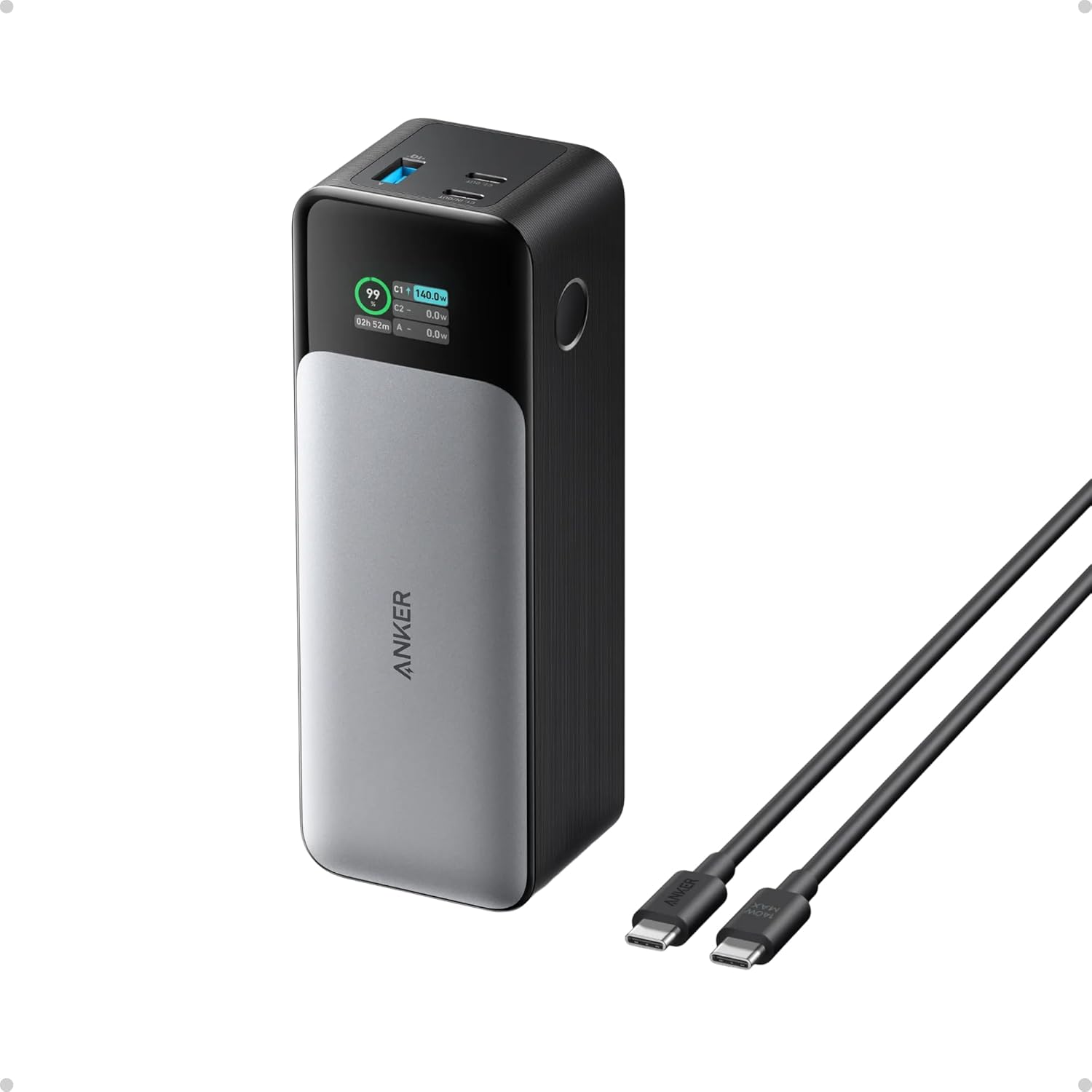
The Anker 737 is the one I’d hand almost anyone with a MacBook Pro. It pushes a genuine 140W over USB-C — enough to fast-charge even a 16-inch Pro — and its 24,000mAh (86Wh) cell gives a 14-inch a full top-up plus change, or roughly two-thirds of a 16-inch. The smart display showing watts in/out and remaining charge is more useful than it sounds: you can actually see whether your cable and port are negotiating full speed.
It’s proven, too — 4.4 stars across 17,000+ ratings. The honest cons: it’s a chunky, heavy brick (about 1.4lb), and at full 140W the fan-less body gets warm. For reliability, real wattage, and the reassurance of that display, it’s the safe default.
Verdict: Buy it — the best all-round MacBook Pro power bank; real 140W, big capacity, proven reliability.
UGREEN 145W 25,000mAh — best value
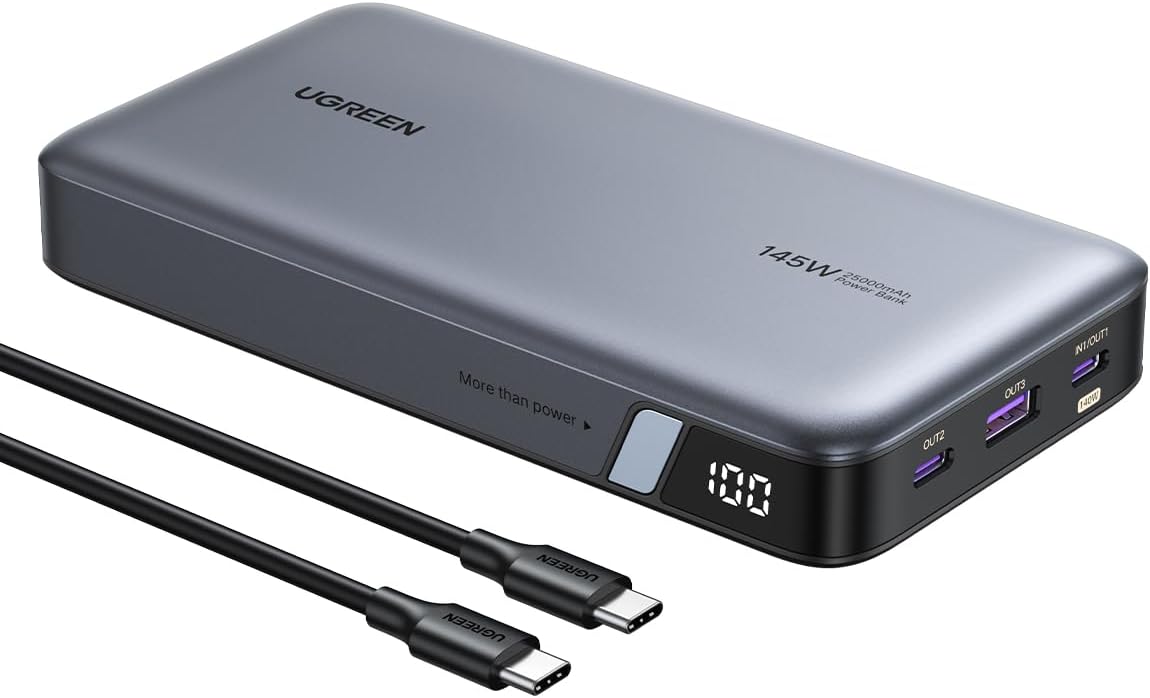
The UGREEN matches the flagship spec sheet — 140W from its main USB-C port, three ports total, and a 25,000mAh (90Wh) cell — but typically costs less than the Anker. It’ll take a 16-inch MacBook Pro from empty to over half in about half an hour, and it has its own display for charge status.
It’s well-liked, at 4.3 stars across nearly 7,000 ratings. The cons are minor: it’s a similarly hefty brick, and the secondary ports drop to lower wattages when you charge multiple devices (normal for the class). If you want top-tier charging without paying the top-tier price, this is the pick.
Verdict: Buy it — the best value; the same real-world charging as the premium banks for less.
Anker Prime 250W — best for the 16″ and multiple devices
If you run a 16-inch MacBook Pro and charge a phone and tablet at the same time, the Prime is built for it: 250W total across three ports, with up to 140W to the laptop while the others keep charging. Its 27,650mAh (99.5Wh) cell squeaks in just under the airline limit, and there’s a companion app for fine control.
Now the honest part: it sits at just 3.8 stars across 3,500+ ratings — owners praise the raw power but report firmware quirks and the occasional unit issue, and it’s expensive. The charging muscle is real; the polish is divisive. Buy it for the multi-device power, but go in with eyes open and consider the Anker 737 first if you only need to charge the laptop.
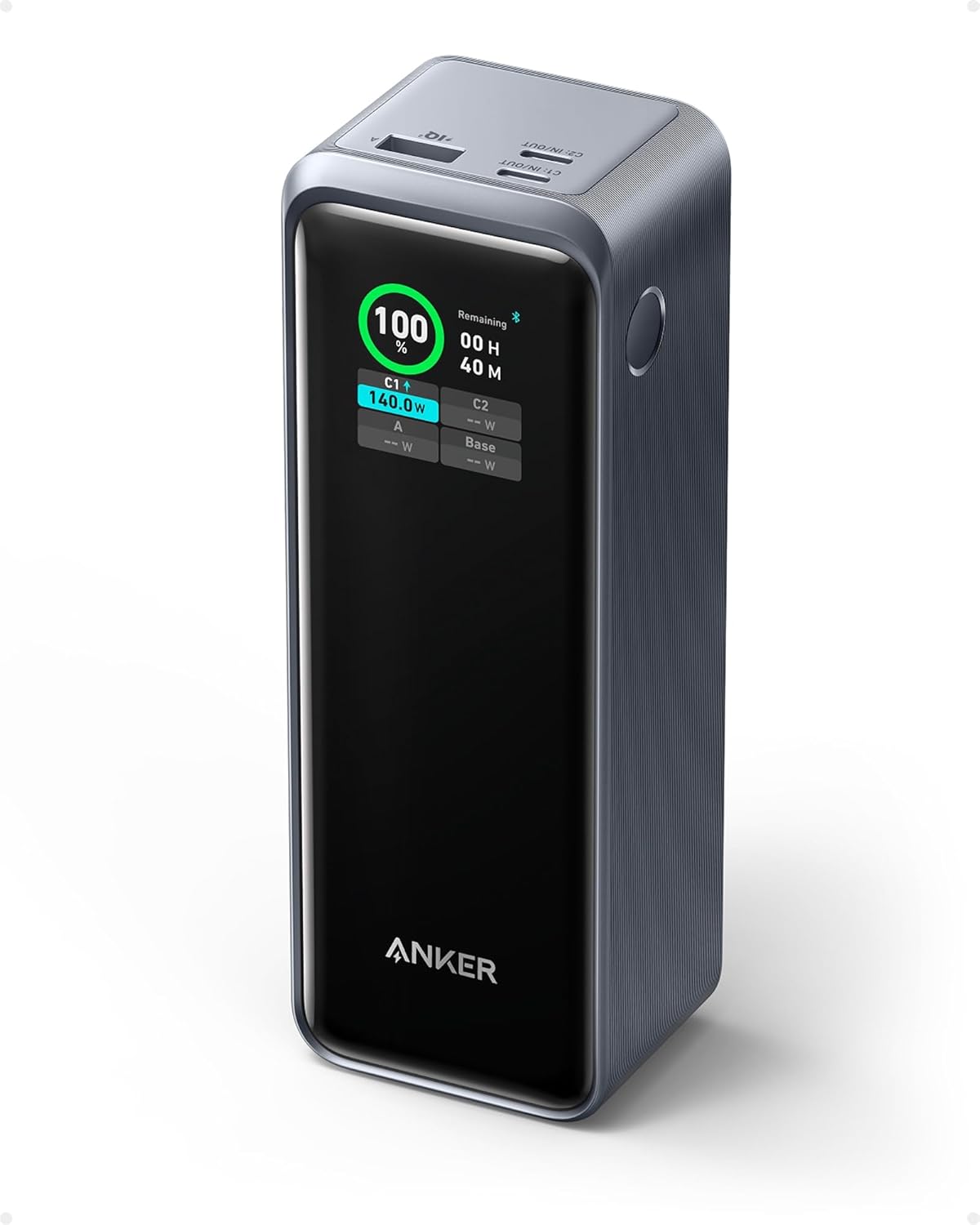
Verdict: It depends — unmatched for 16″ + multi-device power, but the lower rating means check recent reviews; the 737 is the safer single-laptop buy.
Baseus Blade 100W — best slim and travel-friendly
Most high-power banks are bricks; the Blade is a flat, 0.7-inch slab that slides into a laptop sleeve and still delivers a full 100W — plenty to charge any MacBook Pro at near-full speed (only the 16-inch loses a little versus 140W). Its 20,000mAh (72Wh) cell is the lightest serious option here and comfortably airline-legal.
It’s rated 4.4 stars (still building its review count). The trade-off is capacity: 72Wh is about one full 14-inch charge, less for a 16-inch, so it’s a top-up companion rather than an all-day battery. If you prize a bag-friendly shape over maximum capacity, it’s the one to carry.
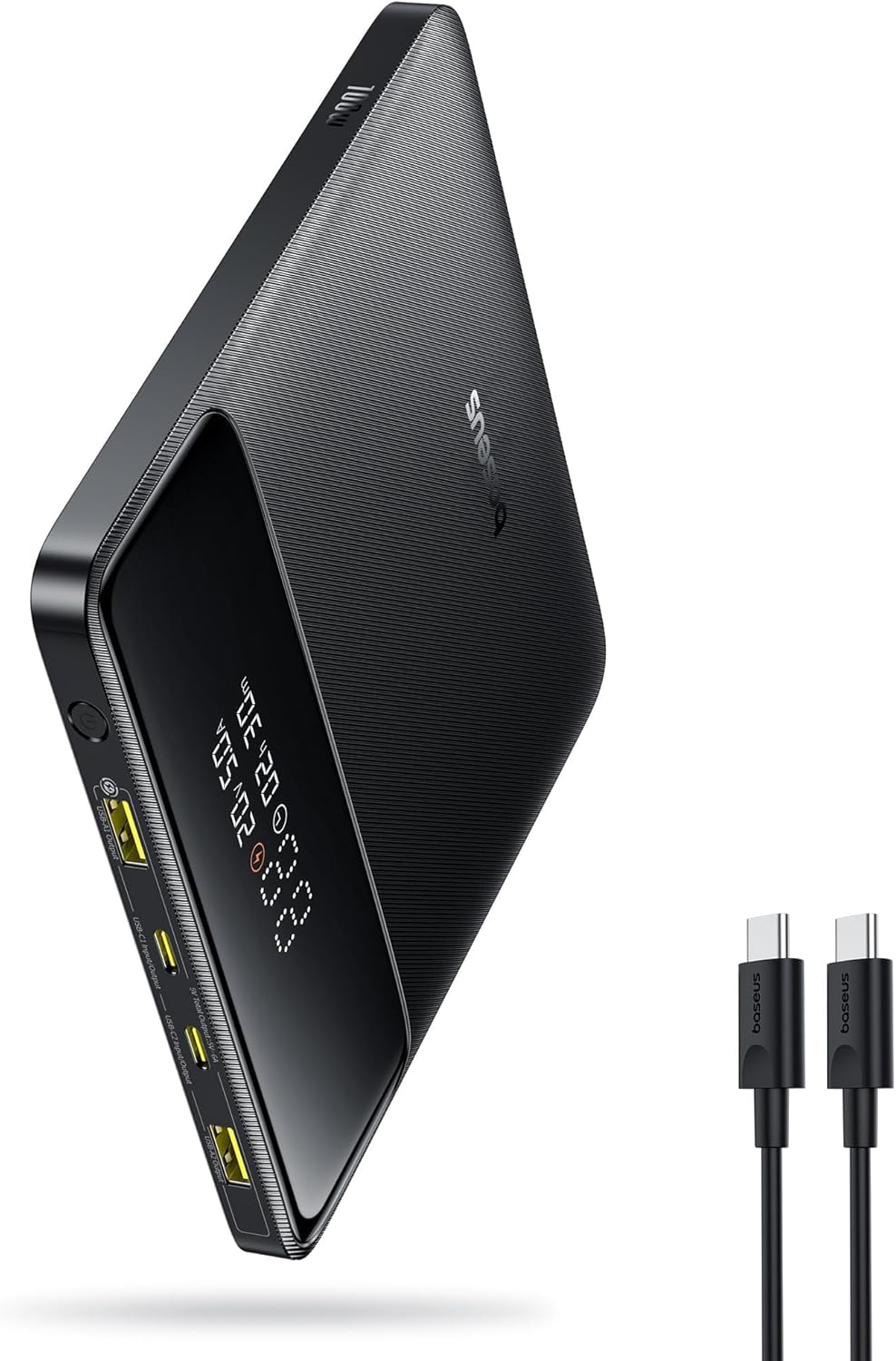
Verdict: Buy it — the best slim/travel pick; 100W in a sleeve-friendly body, just lighter on capacity.
INIU 140W 27,000mAh — best budget
The INIU undercuts the big brands while matching their headline number: a full 140W output, three ports, a display, and a 27,000mAh (97Wh) cell that’s the largest here while staying airline-legal. For the money, getting both top wattage and near-max capacity is genuinely impressive.
It’s well-rated at 4.3 stars across 2,700+ ratings. The cons are the expected budget ones: the build feels a touch less premium than Anker’s, and INIU’s brand cachet is lower. But on the specs that charge your MacBook Pro, it gives up almost nothing. It’s the value-capacity champion.
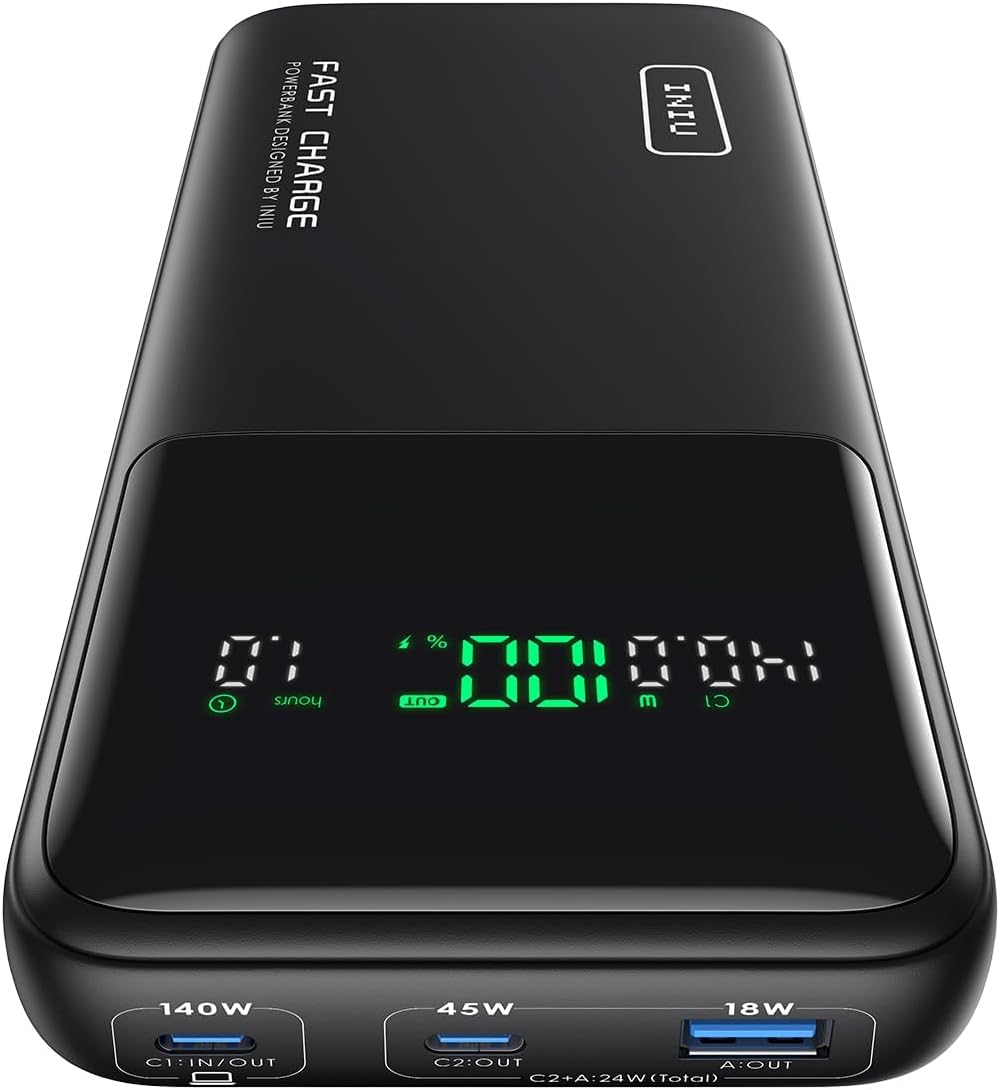
Verdict: Buy it — the best budget pick; full wattage and big capacity, only the badge is cheaper.
Anker Nano 30W — best pocket top-up
Not every situation needs a brick. The Nano is a pocket-sized 10,000mAh battery with a built-in USB-C cable — perfect for keeping a phone, AirPods or an iPad alive, and topping up a MacBook in a pinch. Be clear on the limit, though: at 30W it will only trickle-charge a MacBook Pro (it’ll hold or slowly raise the battery while the laptop sleeps, not fast-charge it in use).
For what it is, it’s excellent — 4.3 stars across 9,600+ ratings, tiny, and the attached cable means one less thing to forget. Think of it as the emergency battery that lives in your bag, not your main MacBook charger. Pair it with one of the 100W+ banks above for the full kit.
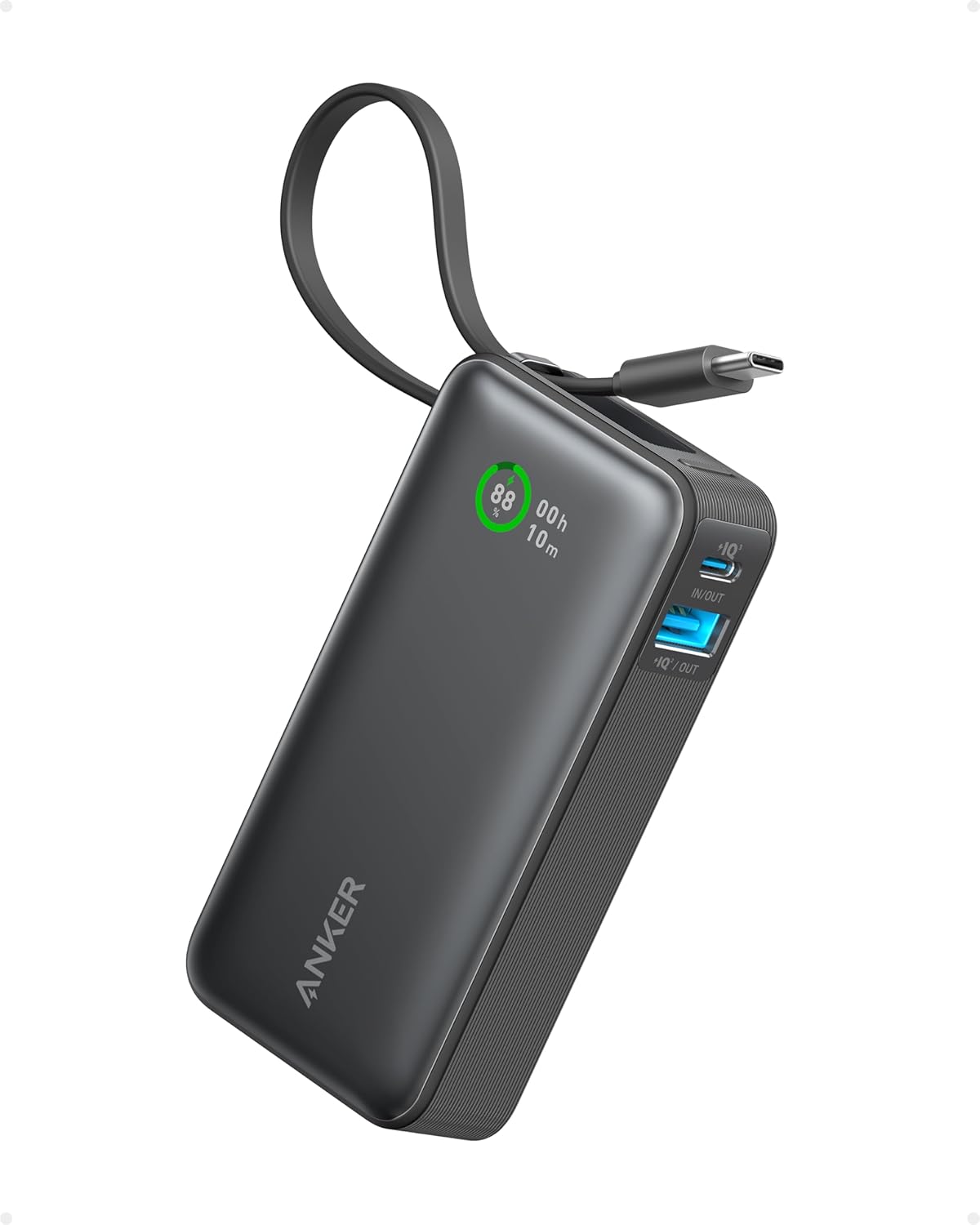
Verdict: It depends — buy it as a pocket emergency battery, not as your main MacBook Pro charger; 30W only trickles a laptop.
How to choose a power bank for a MacBook Pro
Picture a water tank with a tap. The tank size is the capacity (mAh, or better, Wh); the tap’s flow rate is the wattage. A huge tank with a trickle tap still fills your laptop agonizingly slowly. For a MacBook Pro you want both a decent tank and a wide-open tap. In order:
- Wattage first. 60W will charge a 14-inch slowly; 100W fast-charges any current MacBook Pro; 140W is only needed for the absolute fastest 16-inch charging. Below ~30W, the laptop may drain faster than it charges while you work.
- Capacity in watt-hours, not just mAh. A 14-inch Pro battery is ~70Wh and a 16-inch ~100Wh, so a 24,000mAh (≈86Wh) bank gives roughly one full 14-inch charge. Think in Wh and you’ll know how many charges you’re really buying.
- The 100Wh airline rule. The FAA and most airlines allow power banks up to 100Wh in carry-on without approval, 100–160Wh with airline approval, and ban anything over 160Wh. Every bank in this guide stays under 100Wh — check the Wh before you fly with a bigger one.
- Ports and cable. You need at least one USB-C PD port rated for your target wattage, and a cable rated to match (a 60W cable caps a 140W bank). Multiple ports help if you charge a phone or tablet too.
For longer off-grid trips where even 100Wh isn’t enough, you’re into portable power station territory instead. Browse our full laptop power bank guides for more options, or the laptops hub for the machines themselves.
Frequently asked questions
How many watts do you need to charge a MacBook Pro?
A 14-inch MacBook Pro fast-charges at roughly 67–96W depending on the chip, and the 16-inch can draw up to 140W. In practice, a 100W power bank fast-charges any current MacBook Pro well; 140W is only needed to hit the absolute fastest speeds on the 16-inch. Anything below about 30W will struggle to keep the laptop charged while you’re using it.
Can any power bank charge a MacBook Pro?
Technically most USB-C PD power banks can put some charge in, but low-wattage banks (5–20W) will charge it painfully slowly or just slow the drain while you work. To actually charge a MacBook Pro at a useful rate you need a bank that delivers 60W or more over USB-C Power Delivery — ideally 100W.
What capacity power bank do I need for a MacBook Pro?
Think in watt-hours: a 14-inch Pro battery is about 70Wh and a 16-inch about 100Wh. A 24,000–27,000mAh bank (roughly 86–97Wh) gives a 14-inch around one full charge and a 16-inch a bit less. If you only need a top-up between outlets, a 20,000mAh (72Wh) bank is plenty; for a full off-grid day, get the largest airline-legal capacity you can.
Can you take a power bank on a plane?
Yes, in carry-on only — power banks aren’t allowed in checked luggage. The FAA and most airlines permit banks up to 100Wh without approval, 100–160Wh with airline approval, and ban anything over 160Wh. Every pick in this guide stays under 100Wh, so they all fly without special permission; always check the Wh printed on the bank before travelling.
How many times will a power bank charge my MacBook Pro?
Roughly the bank’s watt-hours divided by your laptop’s battery size, minus conversion losses of around 10–20%. So a 90Wh bank gives a 70Wh 14-inch MacBook Pro about one full charge (plus a little), or a 100Wh 16-inch a bit under one. Doubling the figure for “two charges” usually needs a bank near or above the airline limit.
Is 100W enough for a 16-inch MacBook Pro?
Yes — 100W fast-charges a 16-inch MacBook Pro at close to full speed; you only gain the last bit of speed by going up to 140W. If you want the quickest possible top-ups on the 16-inch, choose a 140W bank like the Anker 737 or INIU; otherwise a 100W bank such as the Baseus Blade charges it perfectly well.